Interface and search
What the sidebar contains, which lists have their own search field, how you switch organizations and which keyboard shortcuts exist.
The sidebar on the left is the way to the areas of procuris. The tenders sit at the top, below them the Organization group with the details of your company, and at the bottom settings, billing and help. At the very bottom a card shows which organization you are working in.
Top of the sidebar: tenders
| Entry | Where it leads | Docs |
|---|---|---|
| Feed | List of tenders whose submission deadline is still open. After switching organizations you land here. | Feed |
| Searches | Your saved searches. A saved search runs every morning and sends the same list by mail. | Saved searches |
| Pipeline | The Pipeline shows your tenders in progress as a board with columns and cards. | Pipeline |
| Archive | Tenders whose submission deadline has passed. | Archive |
Middle of the sidebar: the Organization group
The Organization group holds what defines your company and who works with you. All eight entries belong to the active organization, whose name sits in the card at the bottom. If you switch organizations, the entries show that organization's content, for example a different company profile and different members.
| Entry | Where it leads | Docs |
|---|---|---|
| Company profile | The details of your company. A complete profile makes the fit more precise. | Company profile |
| Employee profiles | Team members you assign to tenders and present as evidence | References |
| Reference projects | Completed and ongoing projects as evidence for your bids | References |
| Certificates | Evidence and management systems of your company | Record certificates |
| Products | What your company supplies, with the features behind it | Record products |
| Insurances | Cover and policies of your company | Record insurances |
| User Management | Team members, roles and links to employee profiles | User Management |
| Templates | Templates and dashboards | Templates and dashboards |
Bottom of the sidebar: settings and help
The bottom of the sidebar holds entries you need less often. The Getting started list and the Pro trial card sit above them and only appear under a condition.
| Entry | Where it leads | Docs |
|---|---|---|
| Getting started | List of open items for the start, for example Create a search or Invite a colleague. It disappears when everything is done or you choose Mark all as done. | Setup |
| Pro trial card | Only during the Pro trial. It names the days left, and Keep Pro opens the payment page. | Plans |
| Settings | Your personal settings and those of the organization. The entry opens the Account area. | Settings |
| Billing | Your plan under Plan and payment, your consumption under Usage | Billing |
| Help & Support | This documentation, in a new browser tab | FAQ |
| Start the tour | The product tour, starting in the feed. A tour that is running ends when you choose it. | Product tour |
| Watch the launch video | A film of under one minute that shows how procuris works. The entry only appears when procuris provides a video. | no page of its own |
At the very bottom sits the card of your organization with its name and your name. A click opens a menu with Switch organization, Create organization, Account settings and Sign Out. Account settings opens the same Account area as the Settings entry.
At the top next to the logo, the bell opens the Inbox with your notifications. You choose which messages you receive by email and in the app under Settings › Notifications (Settings).
The chat window lies over the pages of the app and keeps the conversation when you change pages. You can minimize it, but you cannot close it. From Pro, the chat answers questions about using procuris from this documentation. The chat then shows the line Help page read and below it the title of the page as a link. What else the chat can do is described under Chat.
Collapse the sidebar
When collapsed, the sidebar only shows icons. If you hover over an icon, its name appears. You collapse and expand the sidebar with ⌘ B (Mac) or Ctrl B (Windows), or with a click on its right edge.
When collapsed, the bell for the Inbox, the Getting started list and the Pro trial card are missing. Expand the sidebar if you want to see your notifications or the days left in the trial.
On a smartphone the sidebar is hidden. The menu icon at the top left opens it, and the bell for the Inbox sits at the top right.
Searching in procuris
There is no search field for the whole app. Instead, eight lists have their own search field at the top right of the page header, and it only searches that list.
| Page | Placeholder in the search field | What you find |
|---|---|---|
| Feed | Search tenders… | Tenders whose submission deadline is still open. The search starts with the Enter key. |
| Archive | Search archive... | Tenders whose submission deadline has passed. The search starts with the Enter key. |
| Employee profiles | Search profiles... | Your employee profiles, and the list filters as you type |
| Reference projects | Search projects... | Your reference projects, and the list filters as you type |
| Certificates | Search certificates ... | Certificates by name, issuer and type, and the list filters as you type |
| Products | Search products ... | Your products, and the list filters as you type |
| Insurances | Search insurances ... | Your insurances, and the list filters as you type |
| User Management | Search users... | Members by name or email address, and the list filters as you type |
The search in the Feed works together with the feed's filters. With a search term, the feed ranks the results by Relevance. If it finds nothing, Create New Search carries your term over into a new saved search. Search terms are not a required field in a saved search. One criterion is enough, for example a contract value, a sector or a region (Create a saved search).
The search in the feed finds no tenders whose deadline has passed. For those you search in the Archive. Pipeline, Searches and Company profile have no search field of their own.
Switch organization
You switch organizations through the card at the very bottom of the sidebar. This only works if you are a member of more than one organization.
Click the card with the name of your organization at the bottom of the sidebar.
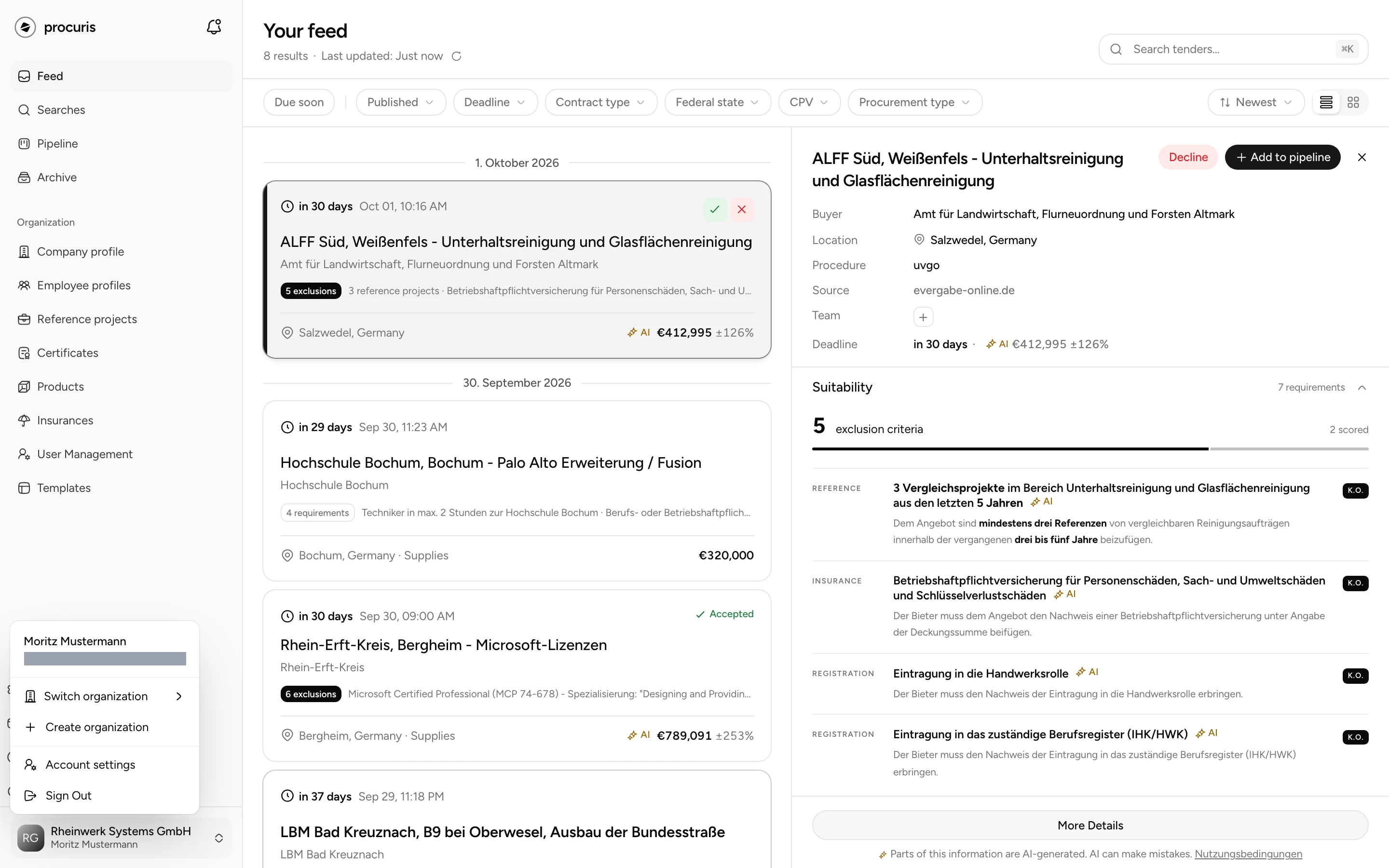
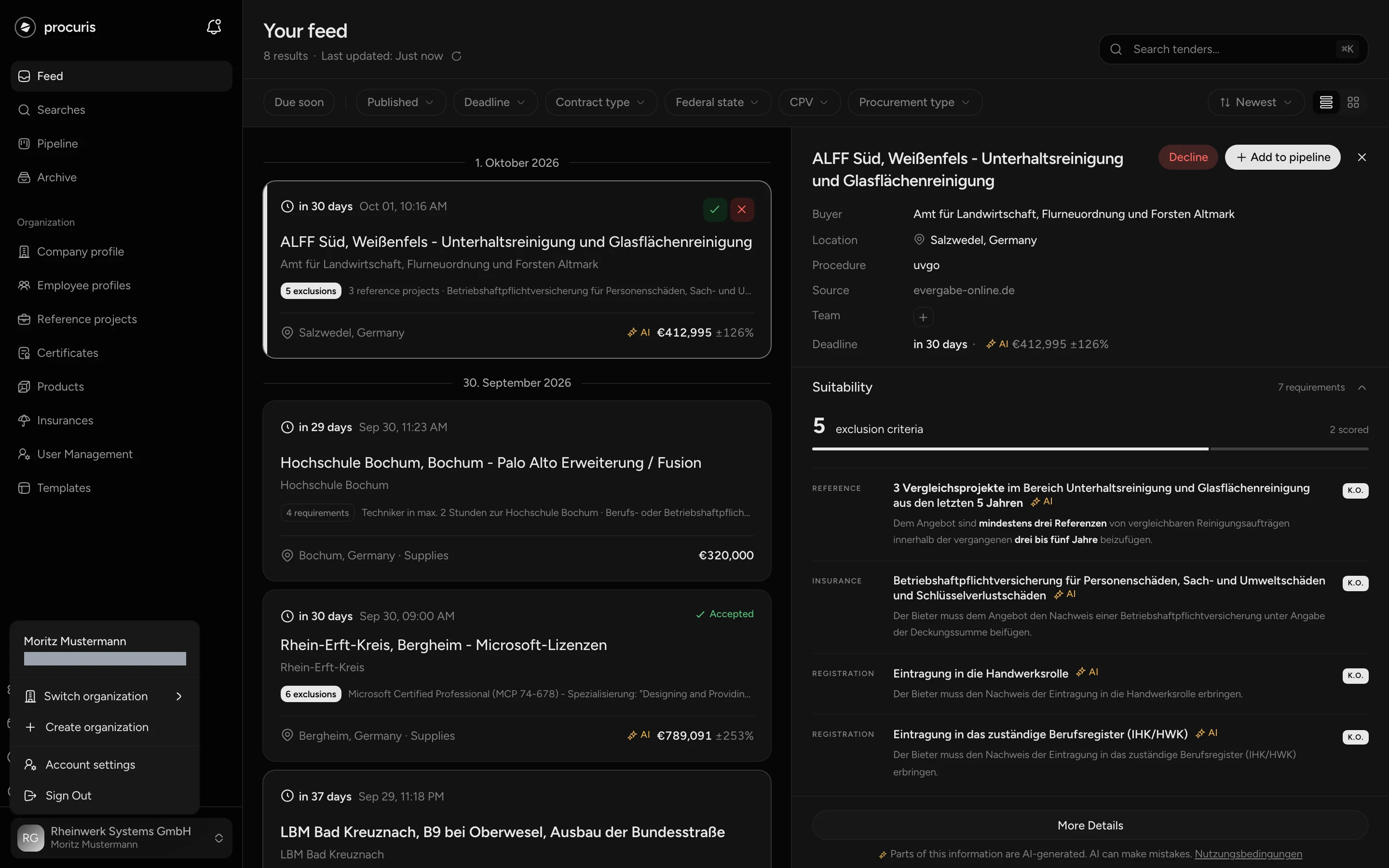
procuris then opens the Feed of the chosen organization. If a name carries Paused, you can still switch. The organization's page then explains why it is paused.
Create organization in the same menu checks on every click whether you can create a further organization yourself. Depending on the result, the item leads into the setup of a new organization or to a form for sales, through which the procuris team sets up the further organization for you. Organization and access describes both.
Plan and Pro trial
You see your plan under Billing, in the Plan and payment area. The sidebar does not name the plan, with two exceptions.
- During the Pro trial a card at the bottom shows the days left and the note "Every Pro feature is open. Afterwards you continue on Free, nothing is deleted." The Keep Pro button opens the payment page for the Owner and Administrator roles, where you add your payment method (Billing). It takes members to billing. Once the payment method is on file, the note reads "Payment method on file. Pro continues after the trial." and the button is gone.
- When a limit of your plan is three quarters full, the Billing entry shows a badge with the count, for example 3/3 when three of three possible people belong to the organization on Pro. If several limits are tight, the badge names the tightest one. The number of people only counts for this on plans with at least two seats, so not on Free. During the Pro trial this badge does not appear.
Which plan has which limits is described under Plans.
Keyboard shortcuts
Keyboard shortcuts exist for the sidebar, the search in the feed, the list in the feed and the chat window. The shortcuts for the list only work while you are not typing in an input field.
| Shortcut | Where | Effect |
|---|---|---|
| ⌘ B or Ctrl B | anywhere in the app | Collapse or expand the sidebar |
| ⌘ K or Ctrl K | Feed | Put the cursor into the search field |
| Enter | Search field in the feed | Start the search |
| J or Down arrow | List in the feed | Select the next tender |
| K or Up arrow | List in the feed | Select the previous tender |
| A | List in the feed | Accept the selected tender, as long as you have not decided yet |
| D | List in the feed | Open Decline for the selected tender, as long as you have not decided yet |
| Esc | List in the feed | Close the preview of the selected tender |
| Esc | Chat window | Minimize the window while the cursor is in it. The conversation is kept. |
| ⌘ Enter or Ctrl Enter | Comment in the workbook | Send the comment |
In the feed's search field, the shortcut sits on the right as long as the field is empty.