Chat
What the chat knows about your tenders, which questions it answers, what it does for you and where its limits are.
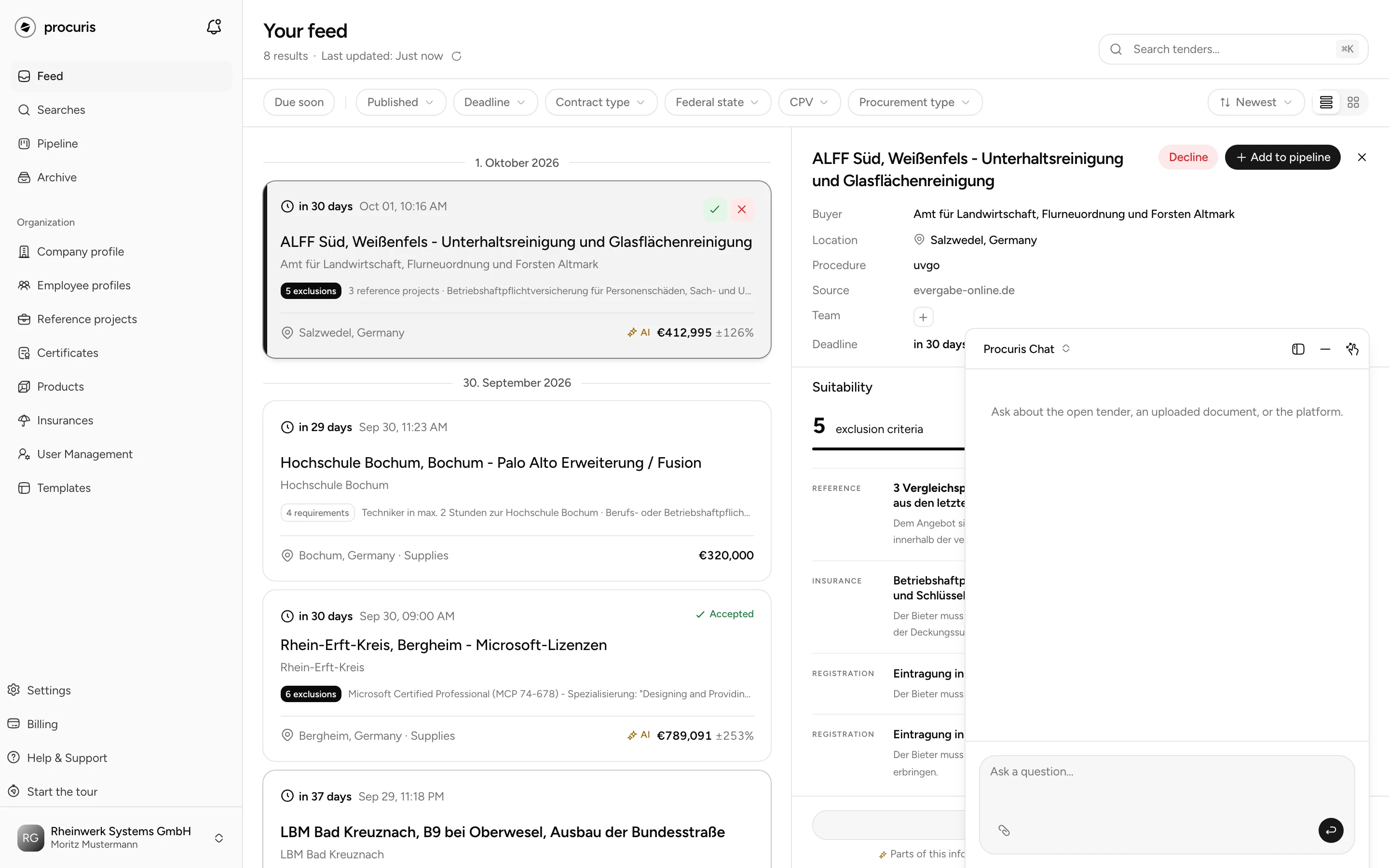
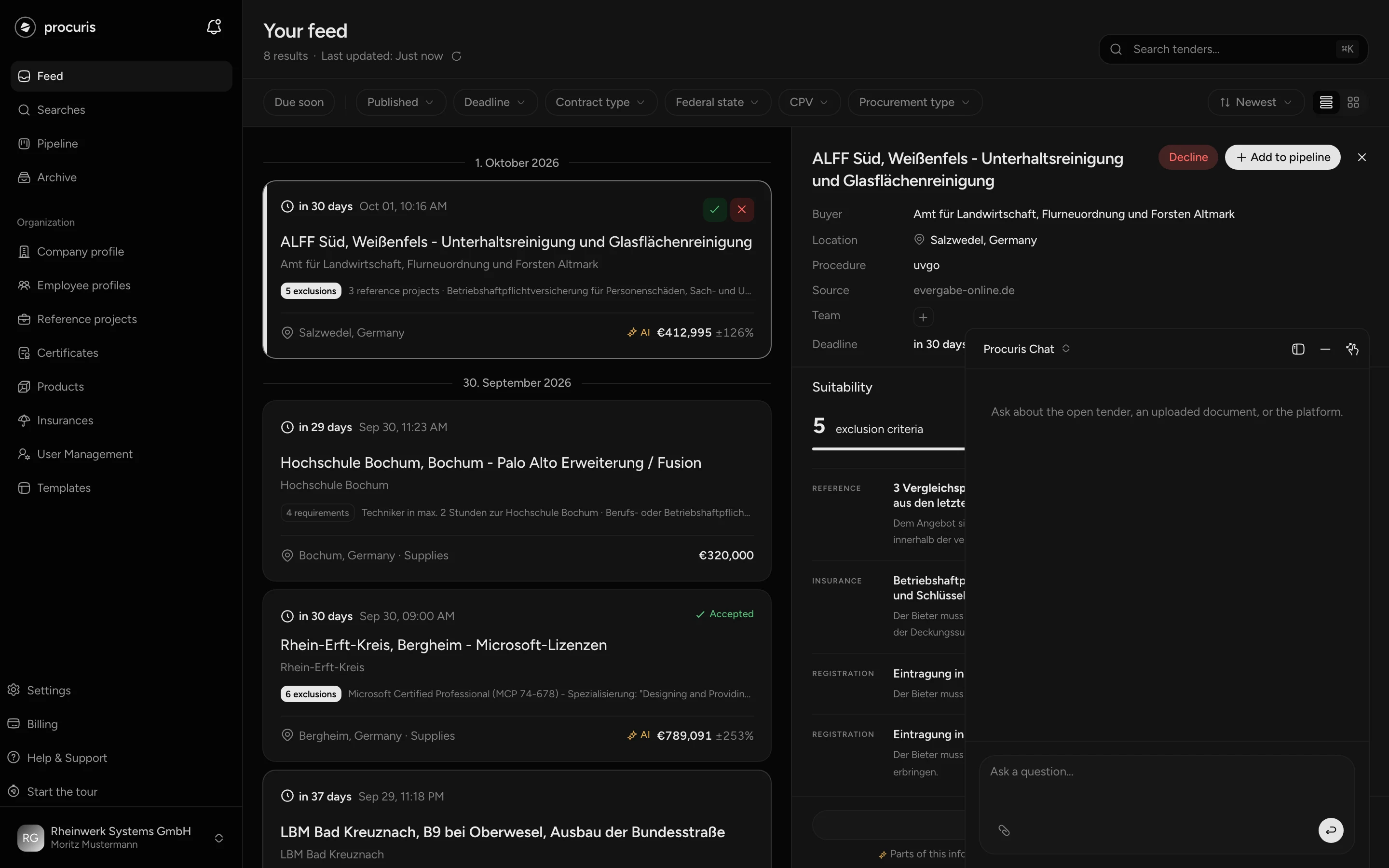
The chat answers questions about your tenders and carries out work steps. Typed orders that write something or start a run it carries out only when you answer its question with yes. It sits as a window at the bottom edge of the screen, on the right by default, and carries the title Procuris Chat or the title of the open conversation at the top. The window stays in place when you move between pages, and your conversation is not lost.
From Pro
You use the chat from Pro on, including the Pro trial. On Free the window is there as well. If you send a message, the window AI assistant not in your plan opens with Upgrade to Pro. Details on Plans.
Using the window
The window cannot be closed, only minimized. On the right of the title bar there are three buttons. They show only an icon, and screen readers read out the names in the table.
| Icon | Name | Effect |
|---|---|---|
| window with a bar at the left or right edge | Dock left / Dock right | Moves the window to the other edge. |
| minus | Minimize window | Turns the window into a narrow bar with the title. |
| two arrows pointing out, in the large window pointing in | Maximize window / Restore window | Stretches the window to full height and back. |
A double click on the title bar maximizes the window as well. Hold the mouse button on the title bar to drag it aside. Let go close to the edge and it snaps flush. On a smartphone the window fills the width, and docking and dragging are not available there.
A click on the title opens the list Conversations. There you switch to an earlier conversation, start a new one with New chat or delete one with the bin icon. Deleting is final, so procuris asks with Delete conversation?. The list shows only your own conversations in this organization, colleagues do not see them.
You write into the field Ask a question... and send with Enter. Shift and Enter start a new line. Below the last answer, Copy copies the text.
The chat answers in the language of your screen, German or English. This also applies when you write in another language.
What the chat knows
The chat sees which page you are on and which tender is open there. A tender counts as open in these cases:
- You have selected it in a preview, in the feed, in the hits of a saved search or in the archive.
- You are on its detail page.
- You have clicked its card in the pipeline, so that the detail view is open on the right.
- You work in its workbook. The button Edit in workbook on the card opens it. In the workbook it also knows which document is open on the left.
Beyond that it reads, when you ask:
- the tender documents of the open tender, the documents of the contracting authority,
- files you upload into this conversation,
- your Company profile with certificates, insurances, references and products,
- your saved searches (menu item Searches) and their hits,
- your Pipeline. The pipeline shows your tenders in progress as a board with columns and cards.
- the pages of this help, when you ask how something works in procuris.
Without an open tender it has no tender documents. If you then ask about a deadline or a content, it points you to the feed or the pipeline to open a tender.
You attach a file with Attach file, or you drag it into the input field. The chat reads PDF, DOCX, PPTX, XLSX, RTF and TXT, up to 25 MB per file and up to 20 documents per conversation. Uploaded files do not count as tender documents of the tender. For the list of requirements, file them in the Tender documents module of the workbook.
Questions the chat answers
The chat backs answers about documents with the document and a literal quote. If it finds no passage, it says so instead of guessing. Check information you base a bid on at the quoted passage anyway, because a quote can be taken out of context.
| Where you are | Example question | What comes back |
|---|---|---|
| Workbook or detail page | "By when does the bid have to be submitted?" | The date as it appears in the documents, with document and quote. |
| Workbook or detail page | "Which references does the authority require?" | The required references with the passages where they appear. |
| Workbook, Tender documents | "What is this document about?" | A summary of the document open on the left. |
| Conversation with an uploaded file | "Which sum insured does the attached certificate state?" | The figure from the file with a quote. |
| Feed, Searches or Pipeline | "Which tenders match my saved searches?" | Up to ten hits above the threshold with title, contracting authority, deadline, fit and whether the tender is already in the pipeline. |
| other pages | "Where do I find my certificates?" | The place in procuris and the question whether it should take you there. |
| any page | "How do I add my own deadline?" | A short answer from this help with the title of the page it read. |
The chat does not calculate deadlines. It gives the date stated in the documents.
The chat answers questions about operating procuris, about terms and about the plans from this help, not from memory. While it looks something up, the conversation shows Reading a help page. Once the page is read, the same line turns into Help page read, with the title of the page as a link below it. Its answer ends with the title of the page. When you hover over the link, the hint Open in the help appears. Title and link follow the language of the interface. If the answer is on no page, it says that it finds nothing about this in the help, instead of guessing.
What the chat does for you
What you type to write something or start a run, the chat carries out only after your yes. A click on one of the buttons for the three runs, by contrast, starts the run directly (see below). Before it enters, changes, creates or comments anything, or starts a run, it repeats what it would do with all values and asks "Shall I …?". This also applies to an explicit order such as "enter it" and also when you give all details in one sentence. It acts only when you answer with an explicit yes in your next message. There is no separate button to confirm. If you change a value instead of saying yes, it repeats the details again and asks once more.
- Questions and reading. Questions about documents, files, your profile, your searches or this help it answers without asking back, because nothing is written.
- Attached files. Files for your company profile, such as certificates or insurance confirmations, it names and asks whether it should add them to the profile. It reads a "here are our documents" without any further word the same way. If you ask a question about a file, it answers instead of entering anything. It does not put tender documents into the profile. If you only want a file read, write your question with it for that reason.
- Taking you somewhere. If your message asks for a place, for example "Take me to the pipeline", "Open the company profile" or "Show me the requirements", it takes you there without asking back. This applies to Feed, Pipeline, Searches, Company profile, Suitability profile, Certificates, Insurances, Reference projects and Employee profiles. It takes you to the detail page and the modules of the workbook only when a tender is open, for other places it tells you where to click. If you only ask where something is, it names the place and asks "Shall I take you there?". If it offers a place itself, it takes you there only after your yes. Taking you there writes nothing.
- Module buttons. The buttons above the document and below an empty chat start their run without asking back, because the click itself is the order.
| For example, you write | The chat |
|---|---|
| "Create the requirements from the documents." | asks whether it should start the agent that reads the tender documents. After your yes the requirements appear in the Requirements module. |
| "Match our evidence to the requirements." | asks whether it should start the matching. After your yes it checks the open requirements against your company profile and files proposals in the Suitability module. |
| "Fill in this form." (in the Fill in module) | asks whether it should fill in the form. After your yes it enters details from your company profile into the working copy, as proposals for you to check. |
| "Comment on the passages about the guarantee and mention Ms Weber." | names what it will have commented and whom it mentions, and asks. After your yes it places the comments at the passages in the documents. Go to the passage jumps there. |
| "We hold ISO 9001:2015 from TÜV, valid until 31 March 2028." | repeats type, name, issuer and validity in one line and asks whether to enter it into the profile like this. After your yes it enters the certificate. |
| "Enter ISO 9001:2015 from TÜV, valid until 31 March 2028, into the profile." | repeats the entry despite the order and asks. After your yes it enters the certificate. If it is already in the profile, it says so and creates nothing. |
| "Our ISO 9001 certificate is now valid until 31 March 2031." | names the entry with the old and the new value and changes it after your yes. It also asks first after "Change …". |
| Attach a certificate as a PDF: "Add this to the profile." | names the file and asks whether it should add it to the profile. After your yes it reads the file and creates the entry. Go to the entry in the company profile opens it. |
| "Add the first three to the pipeline." | names the three tenders with their titles and asks whether it should add them. After your yes it puts them into the pipeline as cards. |
| "I need a search for roof renovation in Bavaria." | repeats name, search terms and region and asks whether to create the search like this. After your yes it creates the saved search. |
| "Create the search 'Roof Bavaria' with the term roof renovation for Bavaria." | repeats the details and asks, although details and order are in one sentence. After your yes it creates the saved search. |
| "Pause the search Construction." | names the change with the old and the new value and asks. After your yes it pauses the saved search. It resumes or changes one the same way. |
| Attach the documents of a tender from elsewhere: "Create the tender." | repeats the details and the files and asks whether to create the tender like this. After your yes it creates a card in the pipeline. Open the card in the pipeline takes you there. If it finds a similar tender, it asks whether it should take that one. |
| "Take me to Suitability." | takes you to the page without asking back. The line Go to: Suitability stays in the conversation. |
You can start the first three tasks without typing. Above the document on the right there is a button with the task of the module: Extract requirements in the Requirements module, Map qualifications in the Suitability module and Prefill documents in the Fill in module. Below an empty chat, the workbook shows the buttons Extract requirements, Check eligibility and Fill in forms. A click on one of them starts the run without asking back, unlike a typed order. On Free, the button above the document opens the window with Upgrade to Pro instead.
What these three tasks produce are proposals. You check them in the respective module and approve or reject them there. When a run is done, the open workbook loads the results by itself and gives the number in a short message (Workbook). Entries in the company profile, by contrast, the chat writes directly after your yes, without a proposal to approve. Check them there for that reason.
While the chat works, a line shows what it is doing, for example Reading a document or Creating a search. If a step takes longer than two minutes, the line below reads "Taking a little longer, Procuris keeps working." If it is busier than usual, the chat says so and starts as soon as a place is free.
When the chat creates a tender from your documents, the conversation shows the line Create tender. It shows how far procuris has read the documents, for example "3 of 7 done", and at the end the number of documents and requirements. You keep using the chat in the meantime. The line shows the progress also after switching to another conversation or reloading the page.
Plan limits apply in the chat too. If, for example, your plan's pipeline is full, it adds no further card and says so.
Some things the chat does not take on. It deletes no saved searches and no entries in the company profile, and it does not approve its own proposals. You do that on the respective page. It does not write bid texts, send emails or download documents from the procurement portal. If you ask for something like that, it says in one sentence that it cannot do it.
The chat does not change or delete requirements at your request. During a run of the agent, however, it can merge or strike duplicate rows, and the conversation then shows Unifying requirements or Striking requirements. Rows you created yourself or approved stay untouched.
The chat does not price items and does not ask bidder questions. For that the workbook has the Costing and Bidder questions modules, which you get through an individual quote (Workbook).
No legal advice
The chat describes what the documents say and does not assess it legally. It does not say whether a demand or a deadline is permissible, and it advises neither a complaint to the contracting authority nor a review procedure. If you ask for that, it answers that it cannot give a legal assessment and offers to point you to the passage in the documents it concerns.
For a legal assessment, turn to a lawyer specializing in public procurement law. If a passage in the documents is unclear, ask the contracting authority with a bidder question, a written question during the procedure. The Bidder questions module, in which you ask these questions and collect the answers, you get through an individual quote (Workbook).
When the AI allowance is used up
Answers of the chat and the work of the agent count towards the AI usage of your plan. Pro includes AI usage, Business five times as much as Pro. More on Usage.
Once the allowance of a month is exhausted, the chat keeps working within a margin that procuris bills by usage (Usage). Once that margin is used up as well, the chat no longer answers, and the window AI allowance used up opens. The chat then shows the sentence "The AI assistant is not part of your plan." It also appears on Pro and Business, and in that case it refers to the used-up allowance. The allowance refills with the next billing month, and a larger plan brings more. During the Pro trial the window is called Trial AI used up, and switching to Pro lets you continue. Without the chat procuris stays usable: you keep reading documents and marking requirements by hand.