Saved searches
Create and edit a saved search, read its list of hits and understand what it searches on which plan and what the morning mail contains.
A saved search is a stored search that runs every morning for your organization. What it finds, it collects as hits in a list of its own and sends a selection of the new hits at or above your threshold by mail (What the mail contains). Your saved searches sit in the sidebar under Searches, and the page there is called My Searches.
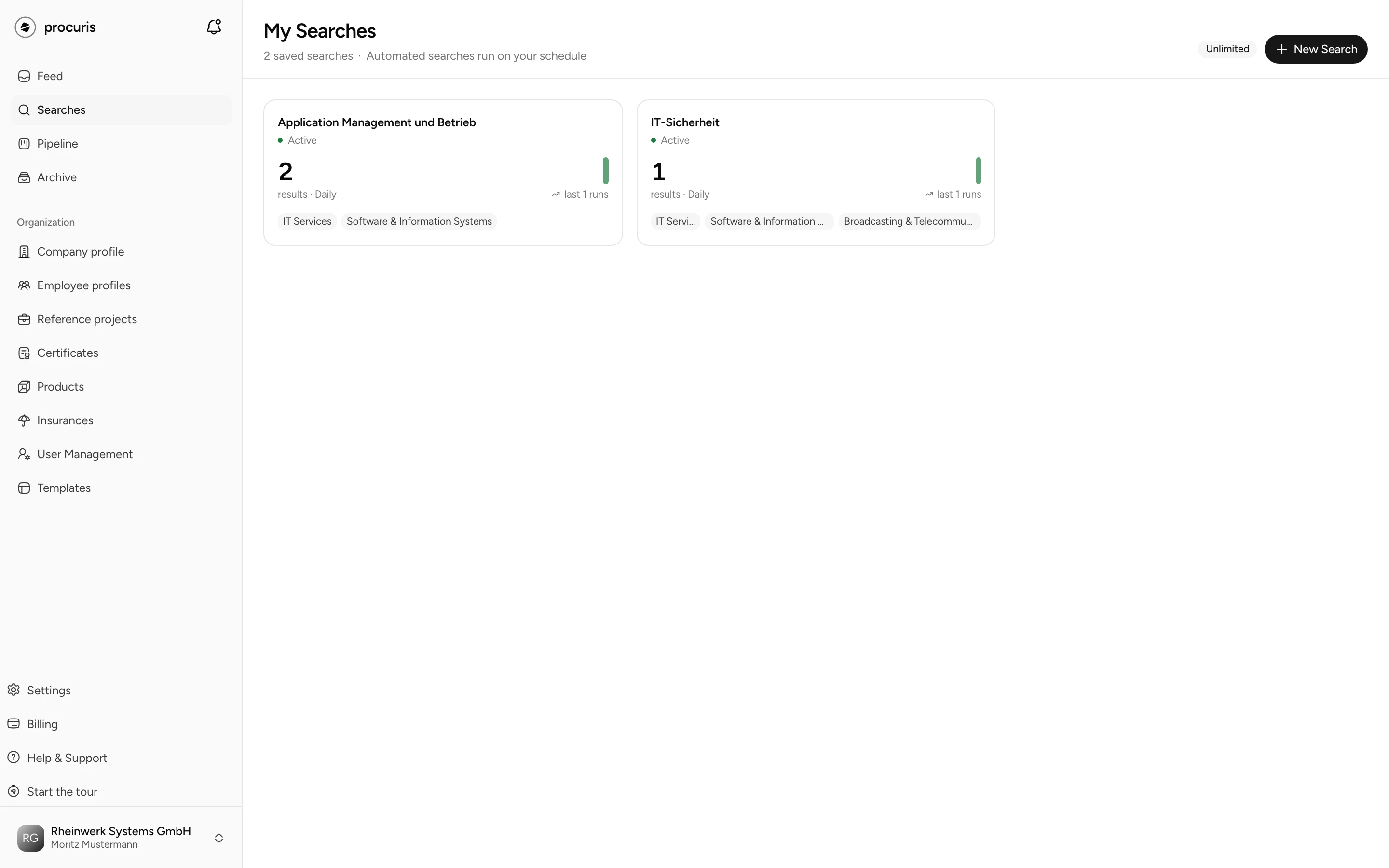
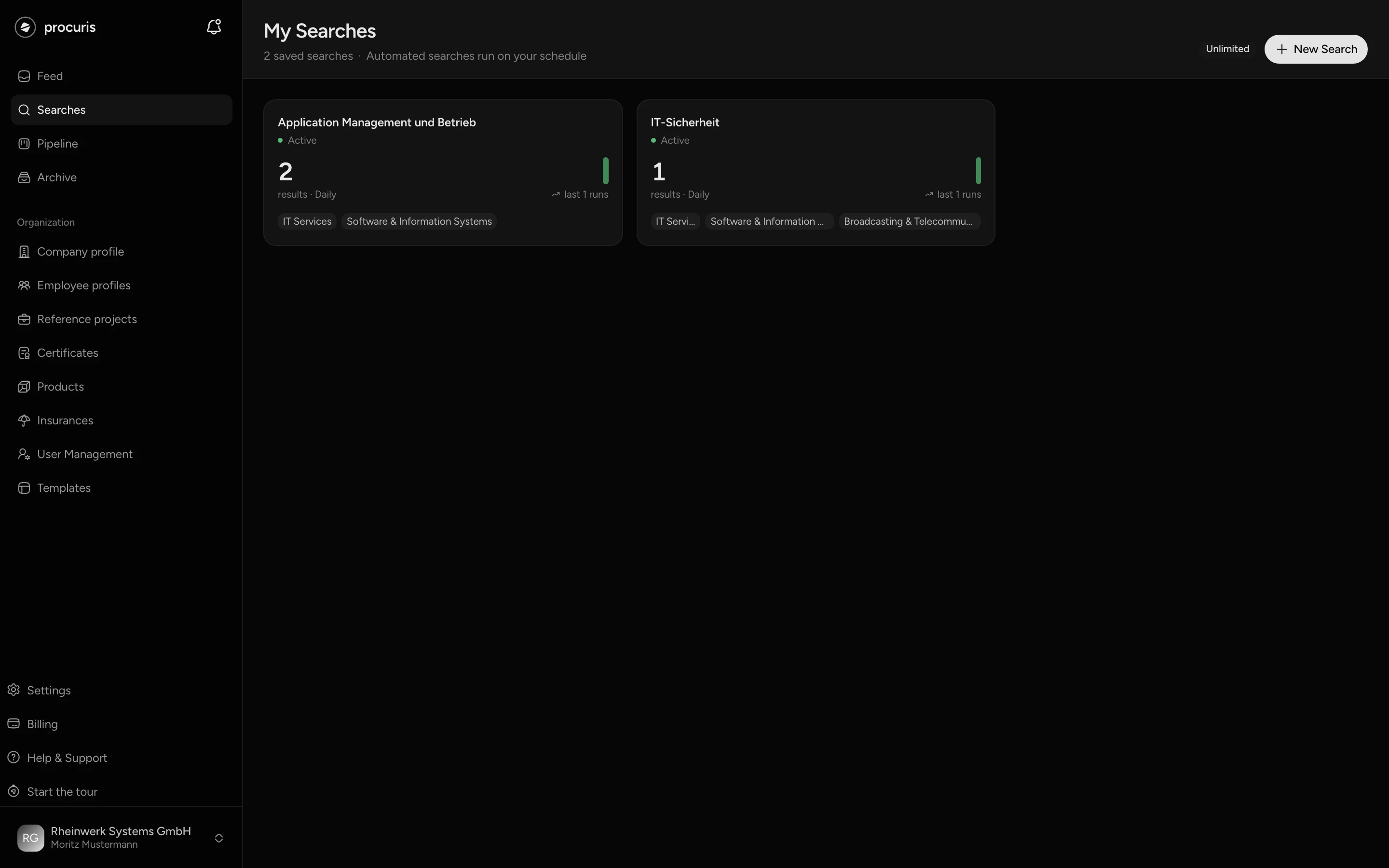
One saved search on the Free plan
On the Free plan you create one saved search, from Pro and in the Pro trial without a limit. Next to New Search, a counter shows how many you use, on the Free plan for example 1/1. Details on Plans.
Create a saved search
A saved search needs a name and at least one criterion. Search terms are not a required field. Each of these criteria is enough on its own: search terms, a contract value, a sector, a region or the Profile only box.
Under Basics, enter a Search name, for example "Civil engineering Bavaria". The Status is set to Active.
Under Criteria, set at least one criterion from the table below. procuris does not apply empty fields.
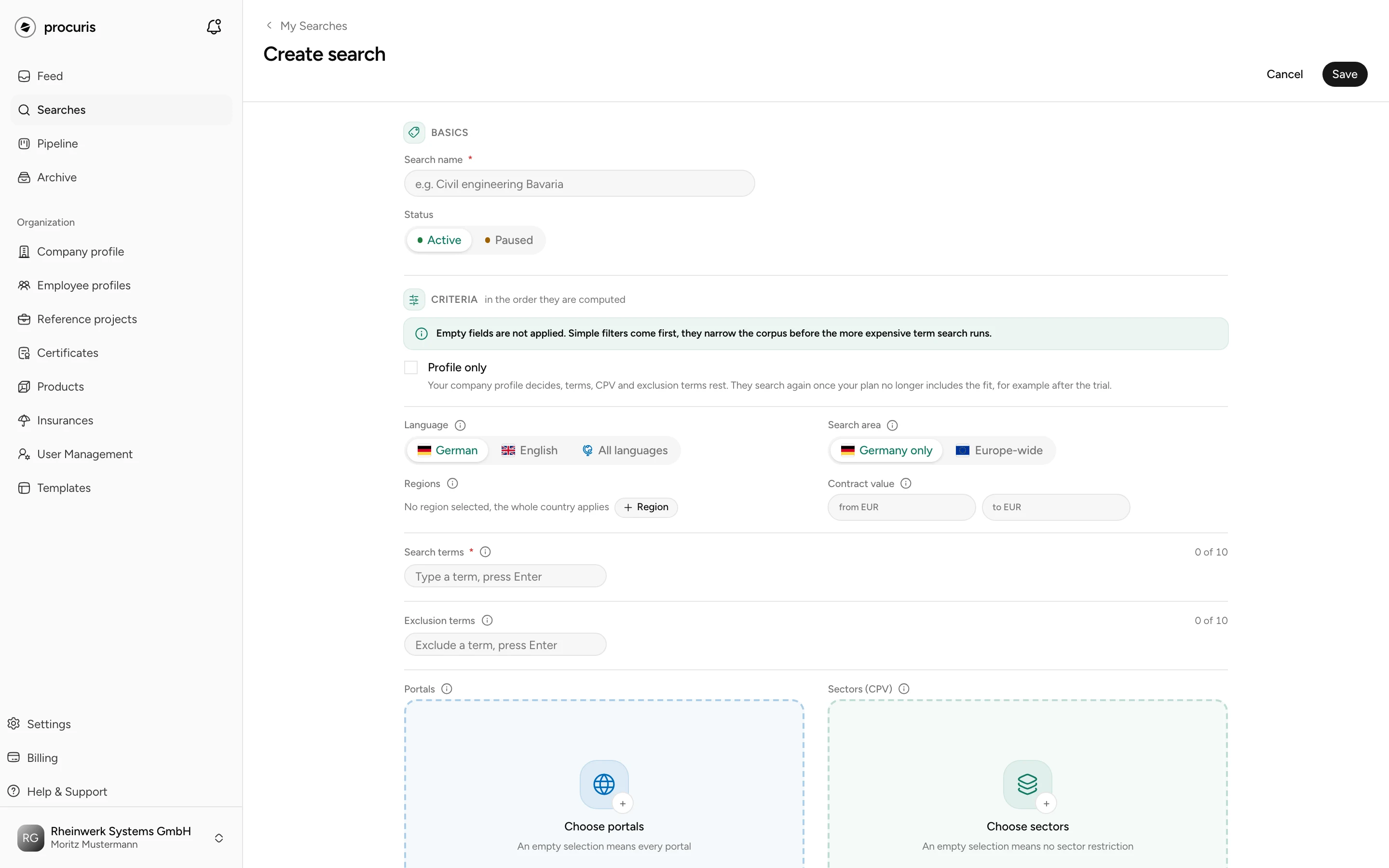
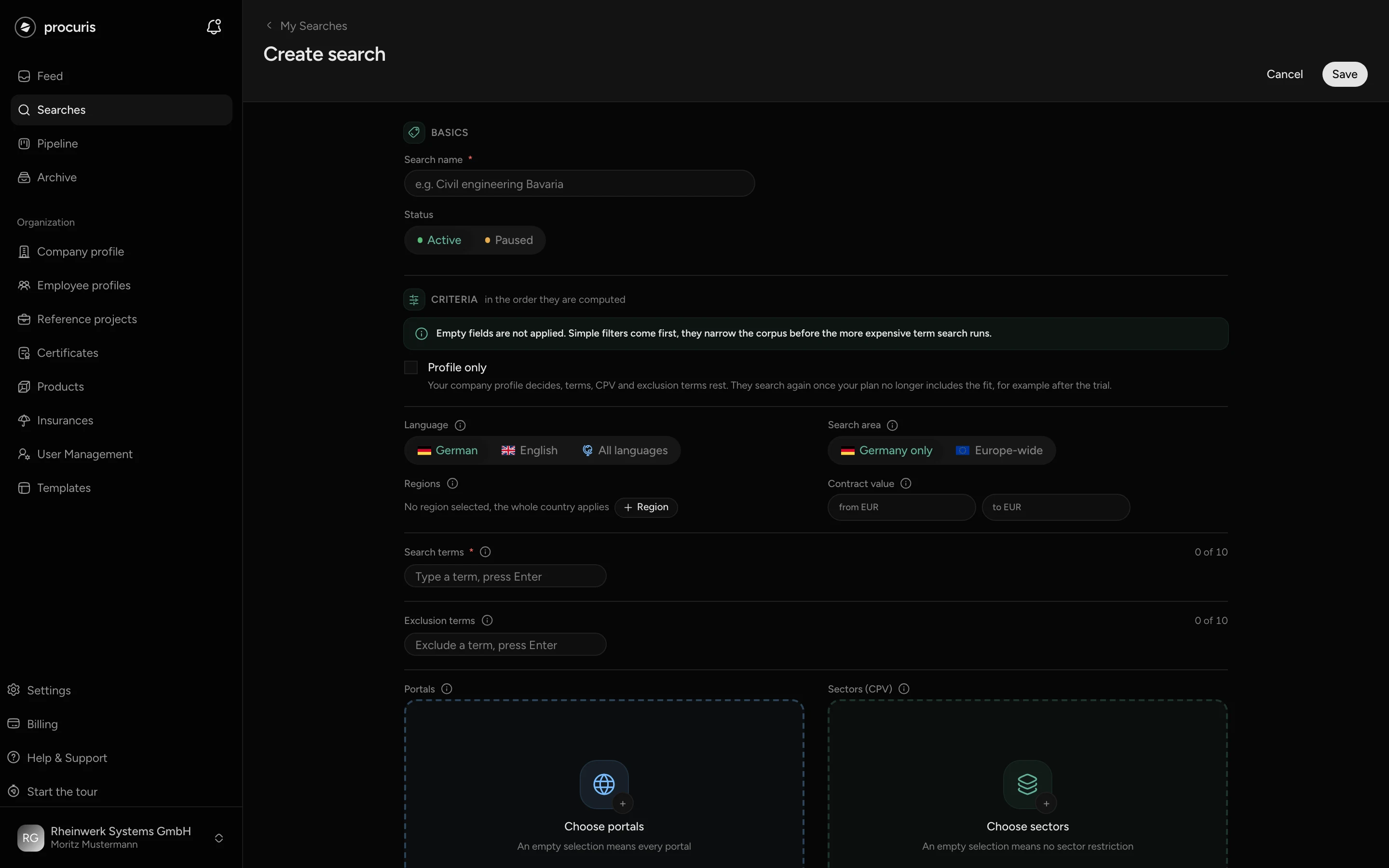
Under What your company does, describe what your company offers. The field is optional, required with Profile only, and takes effect from Pro.
procuris then opens the list of hits of the new saved search. It stays empty until the first run. The first run comes the next morning, or you start it at the top with Run now. While it runs, the page reads "Search is running...". If a criterion is missing, the form says on saving "Add search terms, a value range, or an industry category." If the activity description is missing with Profile only, the field reads "A “Profile only” search needs a description of what your company does."
The criteria
| Field | What it does |
|---|---|
| Language | Filters by the language of the notice, not by the country. German is preset, and there are also English and All languages. |
| Search area | Germany only or Europe-wide. With Europe-wide, the Countries field appears. Without a chosen country, no restriction applies. |
| Regions | Narrows to federal states and regions in Germany, Austria and Switzerland. What counts is the place of performance (where the work is carried out), or the seat of the contracting authority if it is missing. Without a choice, the whole country applies. |
| Radius | Nationwide or 50 to 300 kilometers around the postal code in your company profile. Tenders farther away sink in the fit, and none is hidden by it. The field appears only when an activity description takes effect (from Pro), and it takes effect only when your profile has a postal code. |
| Contract value | From and to in euros. Tenders without a stated value stay in the saved search. |
| Search terms | Type a term and confirm it with Enter or a comma. A hit contains at least one of the terms in its title or description. For some technical terms, a related term counts as well. The counter at the field shows how many terms your saved search holds. With Profile only, the field rests as long as your plan includes the fit. |
| Exclusion terms | A tender drops out as soon as an exclusion term stands in its title or description, also as part of a word: "Planung" matches "Fachplanung". At least 3 characters, and the term must not sit inside a search term. Hits you have already acted on stay. With Profile only, the field rests as long as your plan includes the fit. |
| Portals | Narrows to specific procurement portals. Empty means all portals. |
| Sectors (CPV) | Narrows by sector. CPV is the European classification of the services in public contracts, and you search it by sector or code. A chosen branch covers everything below it. Empty means no restriction. With Profile only, the field rests as long as your plan includes the fit. |
| Profile only | From Pro. Your company profile decides instead of your search terms. procuris checks every new tender from area, language and portals against your profile. Search terms, sectors and exclusion terms rest as long as your plan includes the fit, and they stay stored. Whatever your profile rules out is marked red further down. The box needs a description under What your company does. What is searched on which plan is under Searching by profile only. |
The evaluation of hits (fit, requirements, agent) is designed for German-language procedures, even if the saved search searches Europe-wide. International tenders in your language are available through an individual quote, see Enterprise.
If your organization has criteria of its own, they appear in the form below the criteria in the Additional criteria section. Without criteria of its own, the section is absent.
Searching by profile only
What a saved search with Profile only searches depends on the plan. What matters is whether your plan includes the Fit, that is from Pro and in the Pro trial.
With the fit, your company profile decides. procuris checks every new tender from the area of the saved search against your profile. Language, Search area with Countries, Regions, Portals and Contract value keep working. Search terms, sectors and exclusion terms rest: the fields stay stored, but the morning run does not read them. A hit therefore need not contain one of your search terms or belong to your sectors. A tender with an exclusion term can appear in the list.
Without the fit, the same saved search searches with its terms. This applies on the Free plan, also after the Pro trial. The saved search then searches with its stored search terms and sectors, and the exclusion terms apply again. The other criteria work as before. It shows no fit.
Without the fit, the saved search needs search terms or sectors. If both are missing, it finds no new hits and sends no mail, not even the mail "No new tenders today for". To make it find again, clear the Profile only box when you edit it and add search terms or sectors. With the box set, the form does not save on Free and leads to the plans. You can set the box only from Pro: on Free the box is locked, and a click on it leads to the plans.
A plan change does not alter stored values. When you set the box, your search terms and sectors are kept. After an upgrade, the saved search searches by profile only again as before, and the terms rest again.
Activity and threshold
Under What your company does, describe in 2 to 5 sentences what you offer, for whom and which services you do not take on. The description needs 40 to 1000 characters. From Pro, procuris measures every new tender of this saved search against it, and the card shows the Fit from activity and suitability. On the Free plan, a stored description is kept and rests. Every saved search keeps its own description. The Activity description in the company profile comes from the setup, and a change there changes no saved search.
The Threshold (from Pro) orders the list of hits and decides which hits go into the mail. With an activity description, hits below the value stand further down in the list, and without a choice of your own 50 applies. With Profile only, the slider already stands at 50 when you create the saved search. Without an activity description, the threshold hides these hits in list and mail, and Show them brings them back. In both cases nothing is deleted or recalculated. More on Fit and threshold.
Read the list of hits
A click on a saved search under My Searches opens its list of hits. The header shows name, status and the number of hits. If hits lie below the threshold, the header gives both numbers, for example "12 of 40 tenders".
Each card shows title, contracting authority, place, contract value and the days until the bid or participation deadline. On the right stands the fit, without an activity description the suitability, on the Free plan the Pro badge. The number is green. If your company profile lacks the evidence for a minimum requirement, a red exclusion follows it: without this evidence, the bid would be excluded. The number stays green, because it still gives the fit or suitability, and the exclusion applies separately. If the fit has not been assessed yet, a missing piece of evidence shows only exclusion. The date on the card is the day the hit came into the saved search, not the day of publication.
The preset sort is by day, newest day at the top. How it orders within a day depends on the activity description.
With an activity description, the sort is called By day, then fit. A hit stands further down for one of three reasons:
- It came into the saved search on an earlier day.
- Hits with a higher fit came on the same day.
- Its fit is below your threshold. It then stands paler below a line such as "8 more below 50%".
Without an activity description, the sort is called Top hits. Within a day the strongest hits come first, and the card shows the suitability instead of the fit. Hits below a set threshold do not stand further down, they are missing. Below the day heading it then reads for example "5 hidden below the threshold", and Show them at the Threshold filter brings them back.
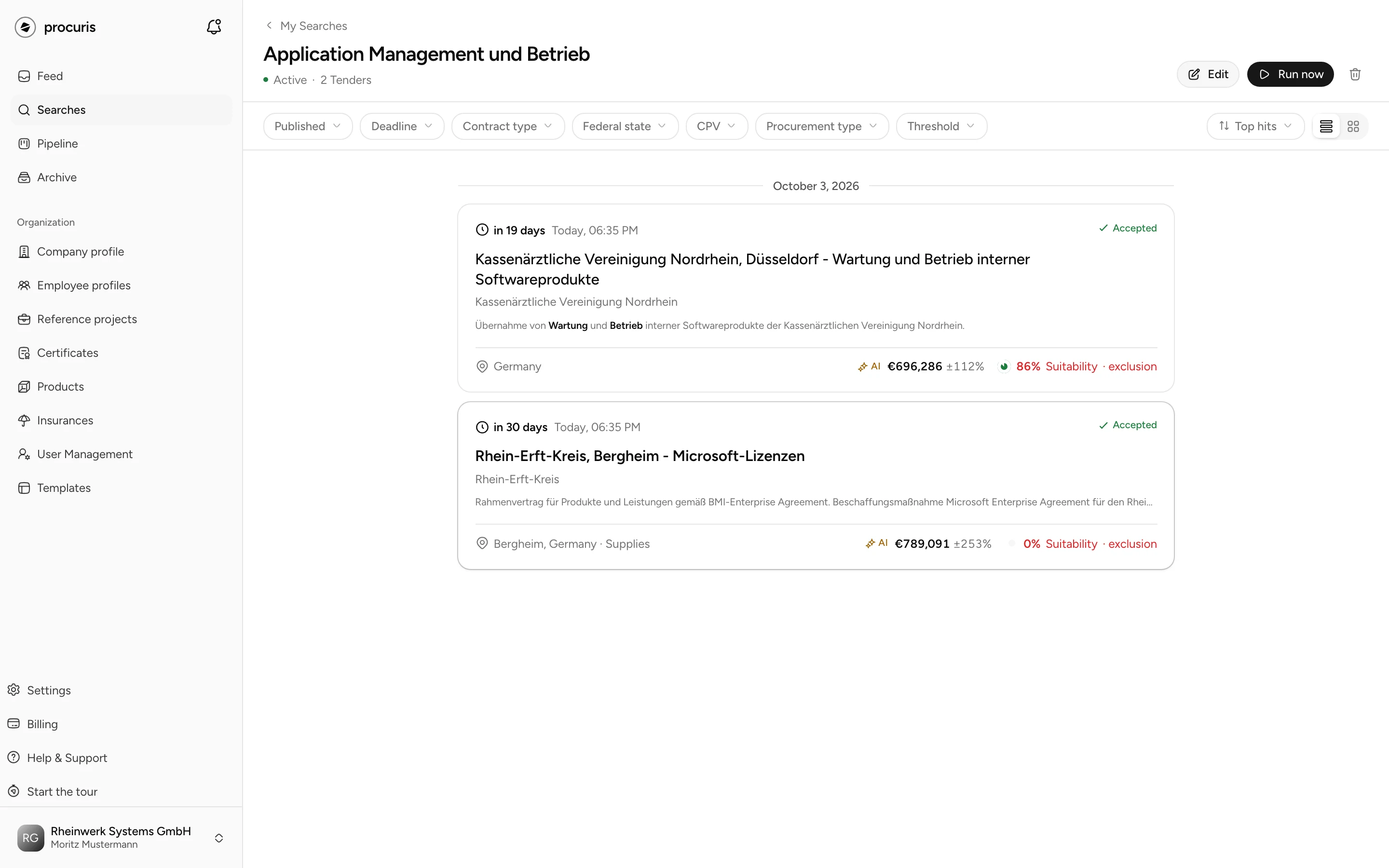
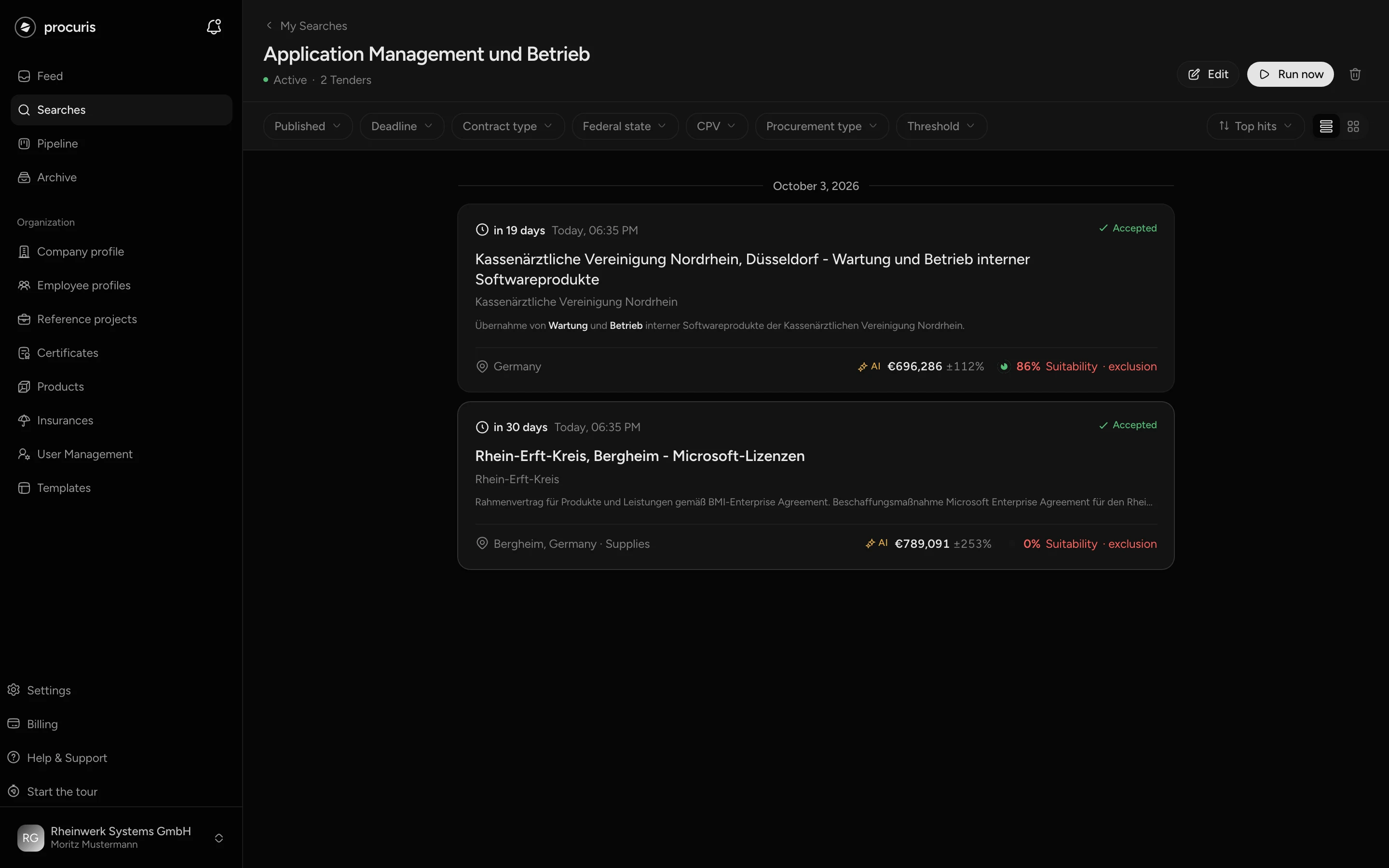
Under the sort you can also choose Newest, Deadline, Value (High-Low), Value (Low-High) and Fit (without an activity description Suitability). The filters in the bar narrow the list of hits: Published and Deadline by date, plus Contract type, Federal state, CPV and Procurement type. They act only on the list you are looking at. The saved search and the mail stay unchanged. Your filters are part of the page address. If you share the link with a colleague in your organization or bookmark it, it opens the list of hits with the same filters.
A click on a hit opens it on the right in the preview. Accept records your decision but creates no card. Decline asks for the reason. What the opened tender shows and how it gets into the pipeline is on Tender in detail.
What the mail contains
After the morning run, the members of your organization receive a mail, at the earliest at 9 a.m. German time. You unsubscribe from the mail for yourself alone under Settings › Notifications in the Searches group (Settings). For everyone at once, it ends when you pause the saved search (see below). The subject reads "New tenders for" with the name of the saved search. The mail contains:
- up to 5 tenders with title, contracting authority, sector, deadline and the fit on the right. On the Free plan the fit is covered, and a lock leads to the plans.
- with more hits, a line such as "12 found · top 5 shown".
- with hits below your threshold, a line with their number. These hits stand only in the list of hits.
- the View all results button, which opens the list of hits.
If the morning run finds nothing new, a short mail arrives with the subject "No new tenders today for" and the name, plus the Open search button. This mail stays away as long as new hits are not assessed yet. A run with Run now sends a mail only if it finds new hits.
Two rules limit the mails:
- One hit mail per day and person. If you have several saved searches, you still get at most one mail with hits per day. The new hits of the other saved searches stand in their lists of hits.
- No mail after 90 days without a visit. Anyone who has not been in procuris for 90 days and is in no organization with a paid plan gets no more mail. If this applies to every person who would get the mail of a saved search, the saved search rests and collects no hits. The next sign-in turns mail and saved search back on.
Edit a saved search
Open the saved search and click Edit. Under My Searches, the button with the three dots on the card leads there as well. The Edit search page has the same fields as when you create one.
Before you save, the What happens when you save section at the end of the page shows how your change takes effect:
- If you widen the search (more terms, more countries, a larger value range), it reads "The search admits more than before." and "A run starts right after saving." Its hits then stand in the list, and this run sends no mail.
- For each changed field, a line gives direction and consequence, for example Contract value "narrowed", "hits outside the criterion drop out" and "0 added, 12 removed". If the hits stay, it reads "existing hits stay".
- If you change only name or status, it reads "No criterion moved. The hit list, the counters and the schedule all stay."
With Profile only, some changes work differently:
- If you change search terms, sectors or exclusion terms while the box is set, it also reads "No criterion moved.", because these fields rest under the fit. The list of hits stays, and no run starts. Without the fit, the form saves such a change only if you clear the box.
- If you set the box on a saved search with search terms, the search gets wider. It reads for example "The search admits more than before.", Search terms "widened" and "A run starts right after saving." This run sends no mail ("No mail goes out for this catch-up run."). Setting the box resets a threshold of your own to the default of 50.
- If you clear the box, the search gets narrower. It reads for example "The search admits less than before." and Search terms "hits without one of the remaining terms drop out".
A changed activity description starts no run. When you save, the existing hits lose their fit. From the next morning run on, procuris assesses again, with many hits over several mornings. Until then the hits show no number and stand at the top (Fit and threshold). Discard undoes all unsaved changes. After Save, procuris opens the list of hits.
Pause and delete
A paused saved search does not run and sends no mail. Its hits stay in the list. To pause, point at the card under My Searches and click the pause icon. When you hover over it, it reads Pause, on a paused saved search Resume. Alternatively, set the Status to Paused when editing and save.
To delete:
The Delete search dialog states how many stored hits go with it, and that the morning run and its mail end. Confirm with Delete.
Deleting cannot be undone. Cards in your pipeline stay, they do not depend on the saved search.
Caution
The trash can in the header of the list of hits deletes without this confirmation.
After the Pro trial
After the Pro trial, your organization moves to Free, and no saved search is deleted. What changes:
- Your saved searches stay stored. On Free you create a new one only when no saved search is left, because Free allows one. Otherwise Save shows the note Limit reached.
- A saved search with Profile only searches on Free with its stored search terms and sectors, and the exclusion terms apply again. Without search terms and sectors it finds no new hits and sends no mail. What you do then is under Searching by profile only.
- The activity description stays stored and rests. It takes effect again as soon as your plan includes the fit.
- A threshold from the Pro trial stays stored and keeps working. Because hits on Free carry no fit, it hides all hits in list and mail. The list stays empty, and the header reads for example "0 of 40 tenders". Show them does not exist on Free. You clear it with the x at the Threshold filter or, when editing, with Clear threshold and Save (Fit and threshold).