Welcome to procuris
What procuris does for your company, how saved search, Pipeline and workbook fit together and where you start.
procuris finds public tenders that fit your company and helps your team prepare the bid up to submission. The tenders come from TED (the EU database for tenders), from bund.de and from more than 90 procurement portals. This page shows the path of a tender through procuris and where to read on.
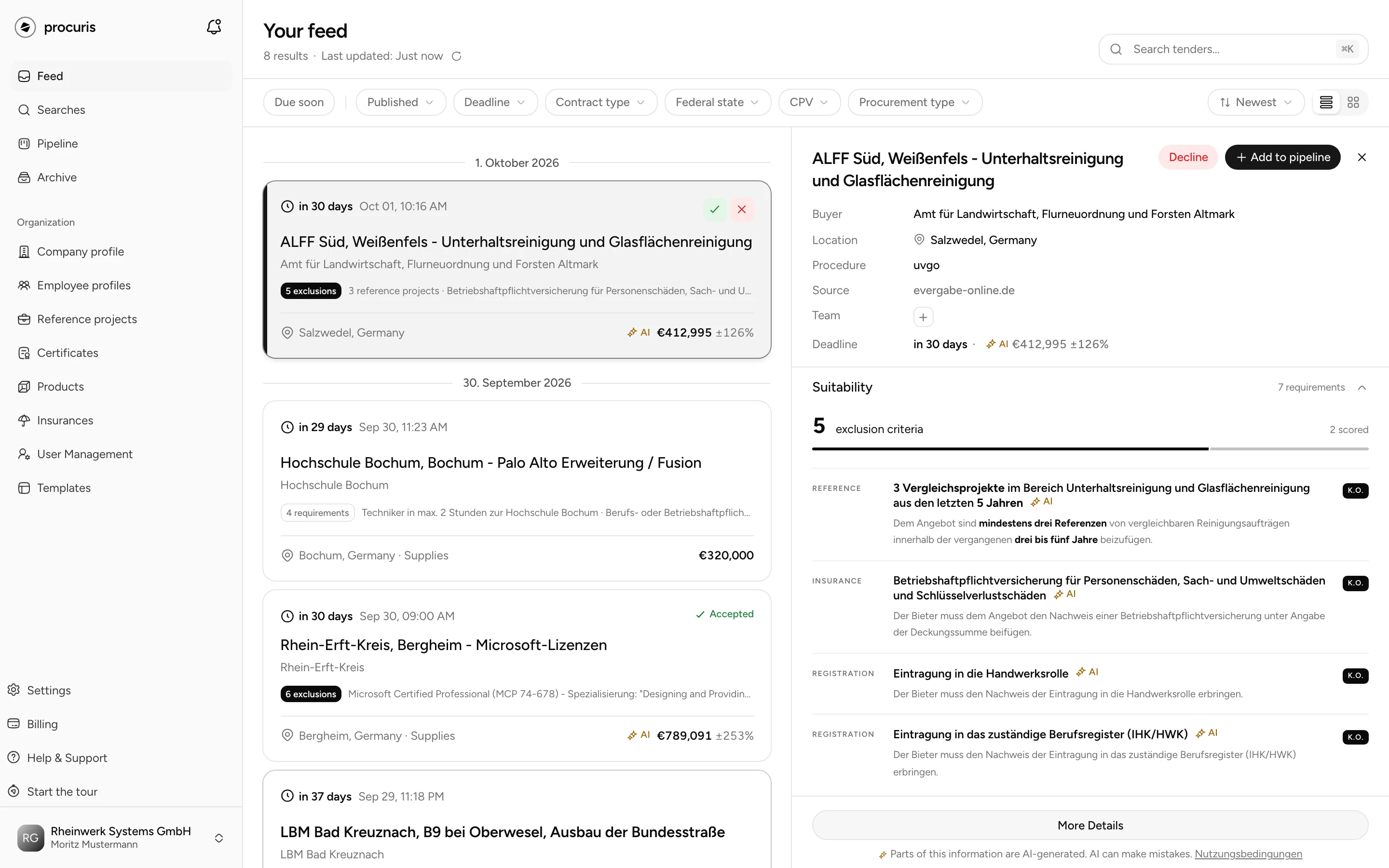
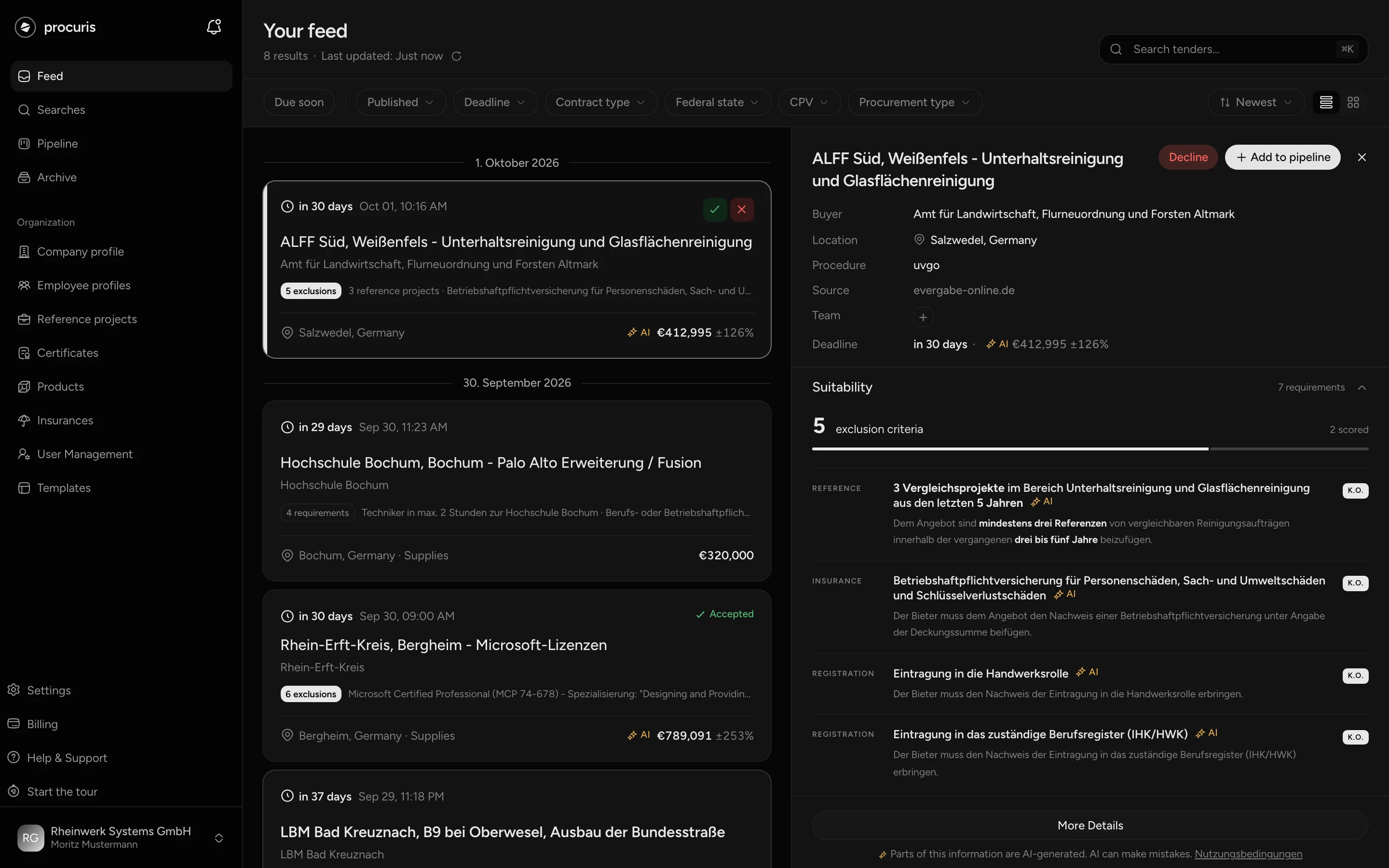
Saved search, Pipeline, workbook
A tender passes through three places, from the first hit to submission.
-
Saved search. A saved search is a stored search. It runs every morning and sends you the same list by email. Its results are called hits. You find your saved searches in the sidebar under Searches. Independently of that, the Feed lists tenders whose submission deadline is still open.
-
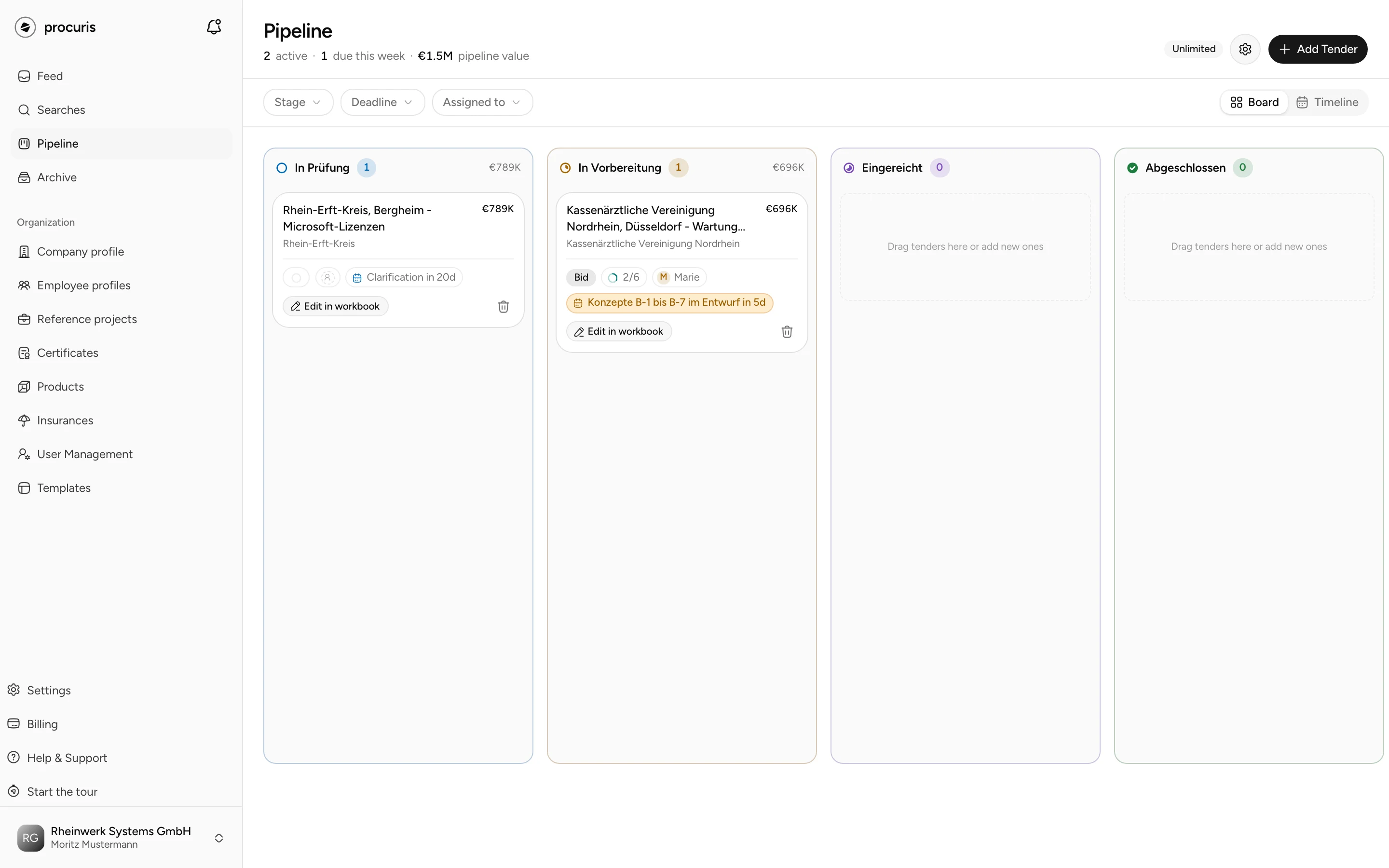
Pipeline. If a tender is worth it, choose Add to pipeline on the hit or in the feed. The Pipeline shows your tenders in progress as a board with columns and cards. The columns are called In Prüfung, In Vorbereitung, Eingereicht and Abgeschlossen, in the English interface as well. You drag a card into the next column once you have moved on.
-
Workbook. Each card has exactly one workbook, the workspace for this tender. You open it on the card with Edit in workbook. There the agent reads the tender documents (the documents of the contracting authority for this tender) and writes the requirements into a list. After that you assign evidence, fill in forms and check the submission package.
From Pro, the Fit shows which hits you should read first, a value from 0 to 100 from activity and suitability (Fit and threshold).
The first days
Three steps are enough for procuris to search for your company and for your team to work on the first tender.
From Pro
Fit, agent and chat belong to Pro. If the Pro trial is running for your organization, they are open in it. Matching your company profile with tenders comes only with Pro. You create reference projects and employee profiles from Pro (Plans).
- Finish setup. After your first sign-in, the setup creates your organization, a company profile and your first saved search. Write the description of your business there, because the Fit measures new tenders against it (Set up procuris). If your organization used procuris before the new version, your saved searches stay and the setup completes your profile. It only creates a first saved search if your organization has none yet (Re-entry).
- Complete the company profile. Certificates, insurances, reference projects and employee profiles are the evidence procuris compares the requirements of a tender against from Pro. What is missing there can lower the Fit. The Getting started list in the sidebar names open items (Company profile).
- Create the first card and let the agent read. The product tour walks this path with you once after the setup: as a rule it puts the best hit of your saved search on the Pipeline as a card. From Pro it starts the agent on your click. How you do this later without the tour is described under Capture requirements.
What it costs
Finding tenders is included in Free. Fit, agent and chat need Pro. Free is meant for one person to watch: Feed, one saved search with the morning email and up to 10 cards. Pro brings Fit, agent and chat, AI usage included, plus reference projects and employee profiles. Business includes five times as much AI usage as Pro and no limit on people. Enterprise comes with an individual quote.
If the Pro trial is running for your organization, Pro is open without a payment card. Without a booking, you continue on Free after the trial, and nothing is deleted. A card at the bottom of the sidebar shows whether the trial is running and how long it has left, for example "Pro trial, 5 days left" (Plan and Pro trial). Without a trial, your organization works on Free until you book a plan. You see your plan in the sidebar under Billing, in the Plan and payment area. Limits per plan and what applies after the trial are under Plans.
API, webhooks, integrations and single sign-on come with an individual quote. You request the quote under Settings › Organization in the On request area, with one click on the service. After that, the Owner role manages API access, webhooks and single sign-on itself under Settings › Organization. These areas only appear once access has been set up after the contract is signed.
Help
If you are stuck somewhere, four routes help.
- Help & Support at the bottom of the sidebar opens this documentation in a new tab. Short answers are under FAQ.
- Start the tour directly below it shows the path from the feed into the workbook once more.
- The chat (from Pro) answers questions about using procuris from this documentation. Below the line Help page read, the title of the page appears as a link (Chat).
- An email to support@procuris.eu reaches support. Name the page and the text procuris shows.
Where to go next
| Section | What you find there | Start |
|---|---|---|
| Start | Account, setup, tour, sidebar | Getting started |
| Search and fit | Feed, tender in detail, saved searches, Fit and threshold | Saved searches |
| Work | Pipeline, workbook, requirements, planning, archive, notes, chat | Pipeline |
| Company and evidence | Company profile, references, certificates, insurances, products, templates and dashboards | Company profile |
| Account and organization | Settings, user management, organization and access, plans, billing, usage | Settings |
| Integration | API, webhooks, integrations, full service, Enterprise (on request) | API |
| Help | FAQ, quick reference, good practice | FAQ |