Integrations
Which systems you can connect to procuris, which way fits which purpose, who builds the integration and how you start.
You receive this service through an individual quote.
Integrations bring tenders into the programs you already use. Your sales team sees new opportunities in its usual system instead of retyping them from procuris. Your employees sign in with their company account instead of a separate procuris password.
Individual quote
You get the integrations on this page through an individual quote. Scope, term, request volume and price are set in the quote.
What you can connect
Which way fits depends on your goal. A CRM is the software in which your sales team manages customers and sales opportunities. An ERP is the software for orders, planning and accounting.
| You want | How it works | Does anyone need to program? |
|---|---|---|
| New matching tenders as sales opportunities in the CRM | in one of two variants, see below. Depending on the variant, the data comes through webhooks alone or through webhooks and the API | yes, a small service of your own instead of a workflow builder, because it has to buffer messages and compare them with the state in the CRM |
| Deadlines and contract values in the ERP or in reports nightly | your system fetches the data at fixed times, for example at night (API) | yes, a small load job, that is, a program that fetches the data at fixed times and imports it |
| Messages in Teams, rows in Excel, without software of your own | a workflow builder such as Make passes the messages from procuris on to your tools (Workflow builder) | no, you click building blocks together. Make checks that messages are genuine with its own building blocks. Power Automate cannot do that. Whether your Power Automate license is enough is shown on the Workflow builder page. |
| Sign-in with the company account and lockout when people leave | single sign-on through your identity provider, for example Microsoft Entra ID or Google Workspace (Single sign-on) | no. Your IT sets values in the identity provider, and the owner enters the matching values in procuris |
The CRM gets its data in one of two variants. The variants differ in which tenders should go into the CRM.
- Variant A, all tenders matching your filters for industry and region: your CRM needs the API and webhooks. Through the API, it gets the existing stock once (the initial load) and a sync every night. Through webhooks, procuris reports new and changed tenders in between.
- Variant B, only the hits of your saved searches: your CRM needs webhooks only. procuris reports new hits and then changes and archiving of these hits. There is no initial load. The first hits arrive on the morning after the endpoint is created.
The service of your own works with a queue. That is a buffer from which it writes messages into the CRM one after the other. This way it responds to procuris in time, even when the CRM is slow. CRM and ERP shows in detail how a connection to a CRM or ERP works.
Who builds the integration?
Who builds depends on the way. Your IT or your IT service provider builds a connection through the API, webhooks to a CRM, or single sign-on. A workflow builder can also be set up by someone without programming skills, for example your office manager. The guides in this section lead step by step through both. If you want procuris to build the integration, we include that in your quote.
The role Owner makes the entries in procuris. Only people with this role see the sections for the API, webhooks and single sign-on under Settings › Organization, even if your organization has several. Members and administrators do not see them. The sections appear only once access has been set up after the contract is signed. Until then, you request a quote there in the On request section. Your IT determines the values and builds the other side. The owner enters the values in procuris. If your IT lead has the role Owner, they do both.
What has to run on your side
Each way needs one prerequisite on your side.
- For webhooks to a CRM: a small service of your own under an address that is reachable from the internet.
- For a workflow builder: an account with Make or Power Automate. The builder provides the address.
- For the API: a service that fetches the data at fixed times. It opens the connection itself. Your firewall does not have to let anything in from outside for this.
- For single sign-on: an identity provider that speaks SAML 2.0 or OpenID Connect, the two common standards for company sign-in. Microsoft Entra ID and Okta speak both. With Google, SAML runs through Google Workspace and OpenID Connect through Google Cloud.
How you get your quote
Send a request. Through the contact block below, or in procuris under Settings › Organization in the On request section. There you choose API access, Webhooks, Integrations or Single sign-on. The window comes with a message about the chosen service, which you can change. procuris asks for a phone number there so we can call you back. Every member of your organization can make a request, not only the role Owner (Settings). On both ways, say what you want to connect, for example "new hits into the CRM" or "sign-in through Entra ID".
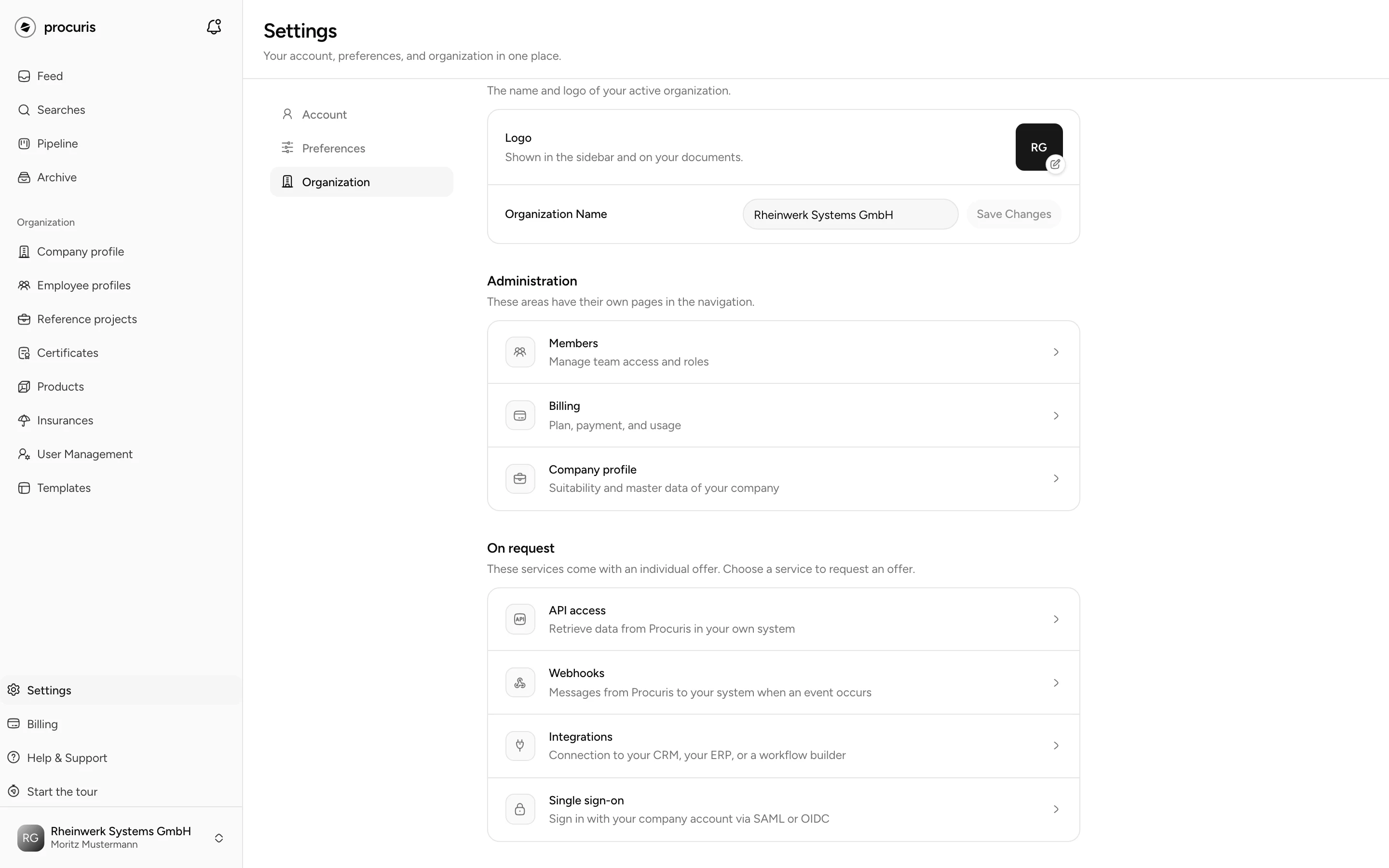
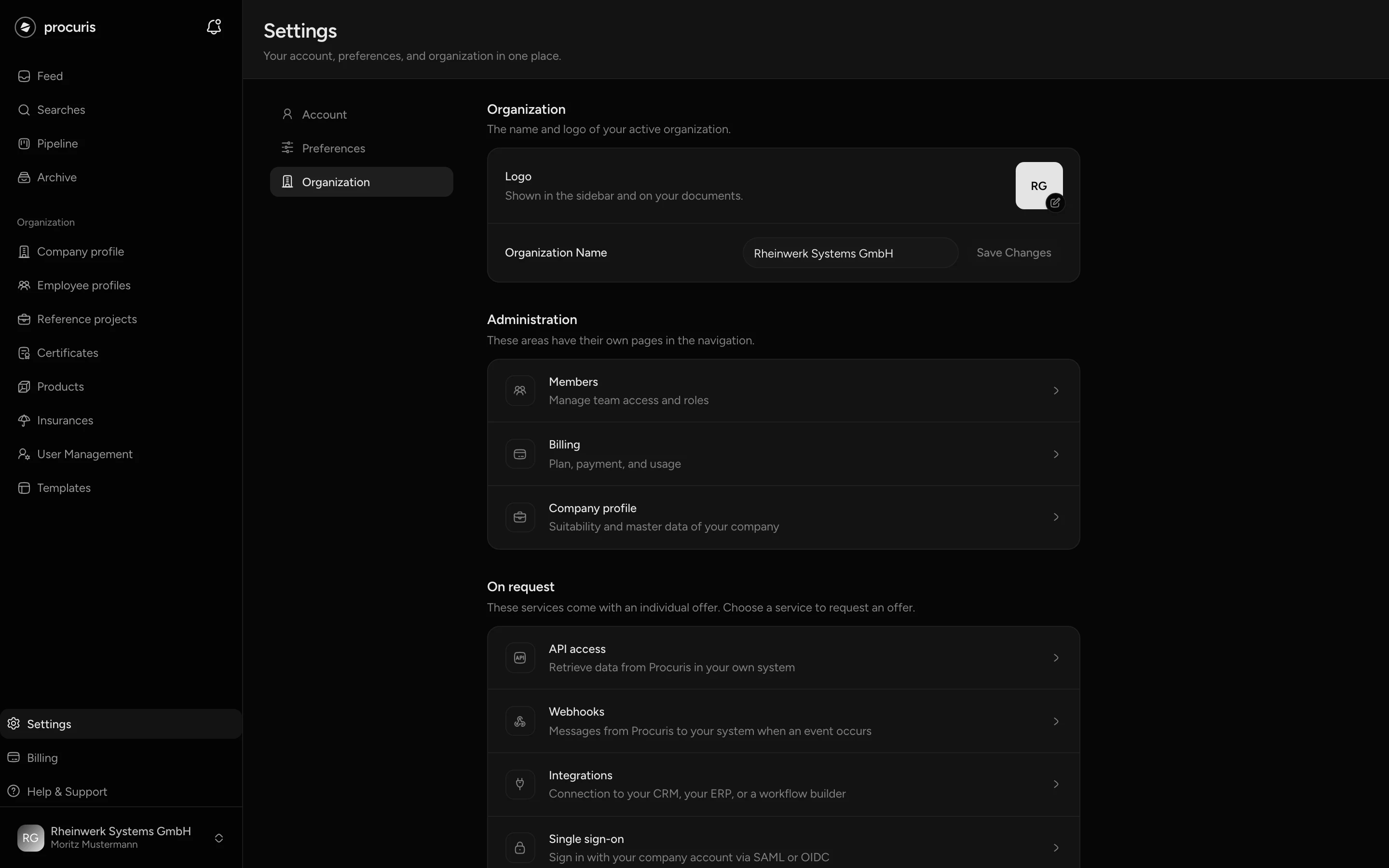
Conversation about your scope. We clarify which services you need, how many requests your system makes and which systems you connect. You set endpoints, events and filters yourself in procuris later.
Individual quote. You receive a quote tailored to this scope.
Contract. With your acceptance, we sign the contract.
Access setup. After the contract is signed, we set up access for your organization. Then the owner sees, under Settings › Organization, the sections your quote covers:
- API access: create, rotate and revoke tokens. A token is the key your system uses to sign in to procuris.
- Webhooks: create, change and delete endpoints, choose events, filters and saved searches, Send test message, Resume delivery and resend missed messages from the last 7 days. procuris signs every message with a secret key, the secret. Renew secret rotates it as planned. The old and the new secret are then both valid for 24 hours. Replace secret now is for a secret that has become public: the old one is no longer valid from then on, without a transition. Until your system has entered the new one, it accepts no more messages. A workflow builder discards them silently instead of rejecting them. A service of your own gets them through the retries of procuris if it enters the new secret within a little over three days after the replacement. With a workflow builder, the owner resends them, see Workflow builder.
- Single sign-on: set up the identity provider, verify the domain, create, rotate and revoke the SCIM token. Through SCIM, your identity provider locks out people who have left automatically.
Build and test the integration. Whoever builds follows the matching guide: API, Webhooks, CRM and ERP, Workflow builder or Single sign-on.
Request a quote
Tell us what you want to use or connect. Your quote is based on that scope.
Delivery and security
Which headers arrive, how your system verifies the signature, what it must respond and what happens during an outage.
CRM and ERP
New matching tenders automatically as sales opportunities in the CRM, deadlines and values in the ERP, with field mapping and protection against duplicates.