Company profile
Fill in the company profile and know what procuris uses it for in suitability, fit and forms.
The Company profile holds the details contracting authorities ask for in almost every procedure: register, contact, key figures, prequalification, self-declaration and revenue. You enter them once, and procuris then compares tenders against them. You find it in the sidebar in the Organization group under Company profile.
Matching from Pro
Matching the profile against tenders only comes with Pro, including the Pro trial. On the Free plan, the Suitability of a tender shows two readable requirements with See Pro below them, and the Fit shows the Pro badge. Details on Plans.
Fill in the profile
After the setup, part of the details is already in the profile. Check these details and add the rest.
Open Company profile in the sidebar. On wide screens, an overview on the left lists each section with its status, such as "4 of 7", Complete or Open. Clicking a section jumps to it.
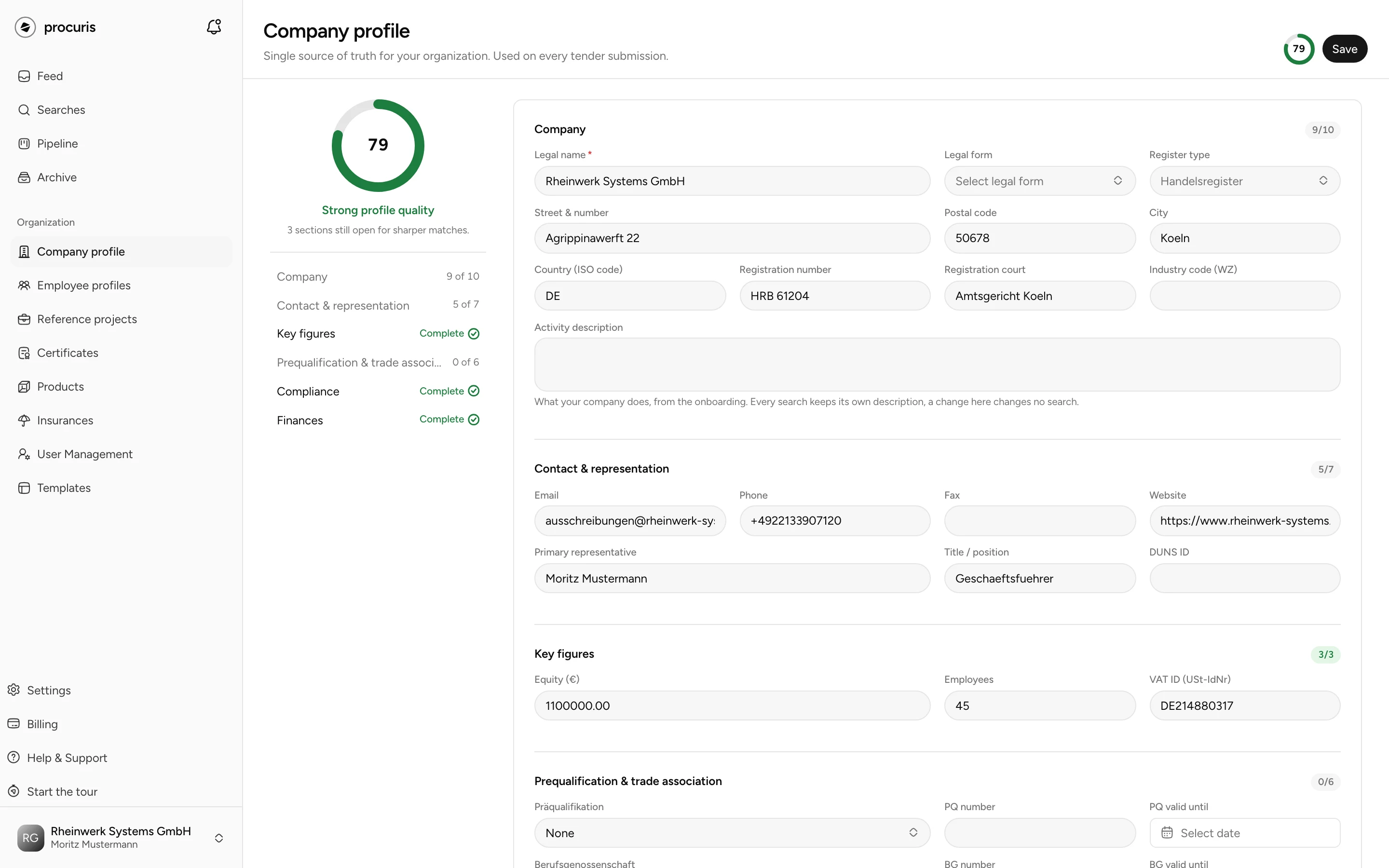
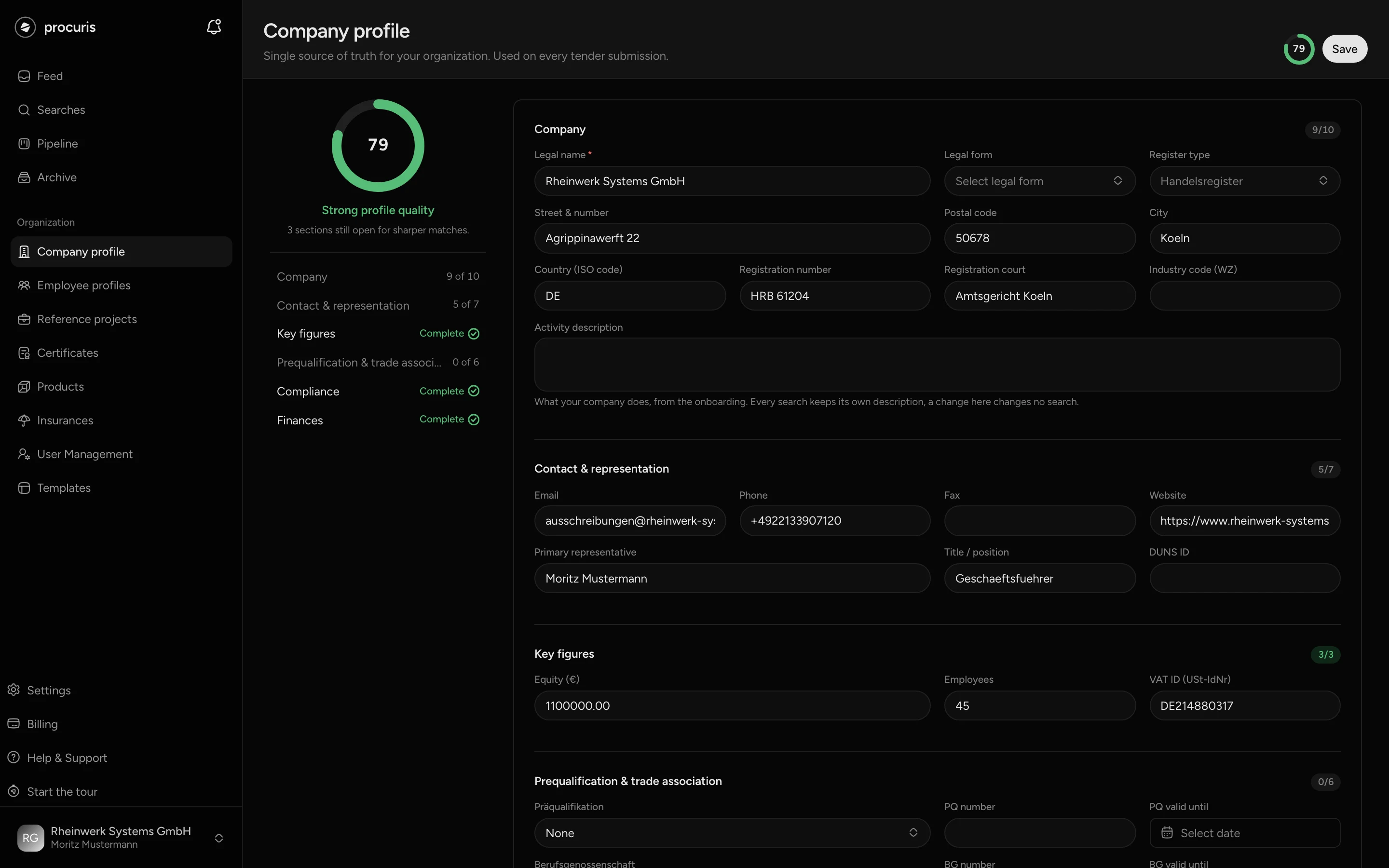
Click Save at the top right. "Profile saved" then appears. If a field has the wrong format, procuris marks it and does not save.
Enter your revenue under Finances: Add fiscal year, then Fiscal year and Annual revenue (EUR). Each row has its own Save, separate from the button at the top. There is one row per fiscal year. The section appears once the profile has been saved once.
The ring at the top right then shows the new Completeness as a percentage. Your change counts for the hits of your saved searches: after saving, procuris rates the hits again against the new state.
What belongs in the profile
The profile has six sections. The fields are named as on screen.
| Section | Fields | Note |
|---|---|---|
| Company | Legal name, Legal form, Register type, Street & number, Postal code, City, Country (ISO code), Registration number, Registration court, Industry code (WZ), Activity description | Country as a two-letter code, such as DE. Without a register entry, choose No register requirement under Register type. |
| Contact & representation | Email, Phone, Fax, Website, Primary representative, Title / position, DUNS ID | Phone with 6 to 20 digits and no spaces, optionally with a leading +. The DUNS ID is an international company number. |
| Key figures | Equity (€), Employees, VAT ID (USt-IdNr) | VAT ID in the format DE123456789. |
| Prequalification & trade association | Präqualifikation, PQ number, PQ valid until, Berufsgenossenschaft, BG number, BG valid until | The choices include PQ-VOB, Official register (AVPQ), PQ-VOL and BG BAU, VBG, BG ETEM and other trade associations. |
| Compliance | Standard self-declaration of suitability available, Currently excluded from competition, Subcontractors and bidding consortia | Two checkboxes and one selection field, see below. |
| Finances | Annual revenue per fiscal year | Contracting authorities ask for it during the suitability check. |
A prequalification (Präqualifikation) is an entry in a prequalification register that replaces individual proofs in many procedures. The trade association (Berufsgenossenschaft) is the statutory accident insurance of your business. Its membership number is a standard proof for construction work. Enter the expiry date for both, so procuris recognizes an expired proof.
Tick Standard self-declaration of suitability available if your company can sign the usual written declaration of suitability. The info icon next to it lists under Covered what it includes, among them "No grounds for exclusion (§§ 123/124 GWB)", taxes and social contributions, and collective pay and minimum wage. A self-declaration does not replace a certificate, however: when a tender asks for a certificate, only a valid entry under Certificates counts. Tick Currently excluded from competition only if your company is currently excluded from procurement procedures.
In the Subcontractors and bidding consortia field, you choose how your company bids: We work on our own, With subcontractors, In consortia or Both, depending on the contract. These are the same four answers as at the Collaboration question during the setup. Here you add the answer later or change it.
What completeness counts
Completeness reaches beyond this page. You enter reference projects, liability insurance and certificates in their own places, and they still count. Hover over the ring at the top right, and procuris shows how much is auto-answered and how much needs your input.
What is still missing is listed in the sidebar under Getting started. Each open row there states how many percentage points it adds to completeness, and a click leads to the place where you enter the detail. Hover over a row, and procuris explains why contracting authorities ask for it. If you hid the list with Mark all as done, you no longer see the shares there.
| Row in Getting started | What it stands for |
|---|---|
| Confirm declaration | your saved answer at the checkbox under Compliance |
| Add a reference | at least one reference project, see References |
| Complete profile | register, insurance, headcount, turnover, subcontracting, prequalification and trade association |
| Add certificates | at least one valid certificate, see Certificates |
The rows Create a search and Invite a colleague are also in the list but do not count towards completeness. Confirm declaration is done as soon as your answer is saved. This includes the answer that your company cannot submit the declaration: it is recorded when you untick a ticked checkbox and save, or from your answer during the setup. The overview on the left shows Compliance as Complete in both cases.
Complete profile is only done once all seven details are in place. For the insurance, an insurance of type Public liability with a coverage amount counts, which you record under Insurances. The detail on subcontractors and bidding consortia is under Compliance in the Subcontractors and bidding consortia field. If you skipped the Collaboration question during the setup, Complete profile stays open until you choose the field here and save.
Below one third, the overview shows "Profile still thin", above that "Good profile quality" and from two thirds "Strong profile quality". An expired proof no longer counts. Hover over the ring, and procuris names the number of expired proofs, such as "1 proof expired".
Activity description
The Activity description in the profile records what your company does. procuris takes it from the setup, and you can change it here, up to 1000 characters. procuris does not measure hits against this field, however, but against the description in each saved search. Every saved search keeps its own, and a change in the profile changes no saved search.
You change the description of a saved search under Searches: open the saved search, Edit, section What your company does. There the description needs 40 to 1000 characters. What a good description looks like is under Make the fit more precise, everything else on Saved searches.
What procuris uses the profile for
procuris uses the profile in four places. The app does not show how it calculates, but it shows the result.
- Suitability. In the preview of a hit from a saved search (the area to the right of the hit list), each requirement of the contracting authority shows whether your profile meets it. In the Suitability module of the workbook, you map your proofs to the requirements.
- Fit. The fit from 0 to 100 shows how well a tender suits your company. A complete profile makes it more precise (Fit and threshold).
- Fill in. In the Fill in module, procuris proposes details from the profile for the forms of the tender. Each proposal names its source, such as "Source: company profile, company name" or a certificate by name. A proposal reaches the submission only once you confirm it with Accept.
- Radius. The radius of a saved search is measured from the Postal code in the profile. Without a postal code, it has no effect.
Proofs: what lives where
Certificates, insurances, references and products belong to the profile but have their own entries in the Organization group. They are not on this page.
- Certificates such as ISO 9001 with issuer and validity: Certificates.
- Insurances such as public liability with coverage amount: Insurances.
- Reference projects and Employee profiles: References.
- Products you offer: Products.
You do not upload a file in the company profile. If a proof exists as a PDF, the chat takes it from Pro onward: attach a certificate, for example, and ask to add it to the profile. The chat names the file and asks whether it should add it to the profile. Only after your yes does it read the file, create the entry and lead there with Go to the entry in the company profile. Check the entry afterwards, because the chat takes the details from the file. If you give it the details without a file, it repeats them and asks in the same way before entering them.
When a proof is missing
Whatever is missing in the profile counts as not met. A missing proof shows on the requirement, not in the profile. Where no detail from your profile fits, the suitability shows a link such as Complete company profile, Add certificate or Add reference project. It leads to the place where you enter the proof.
- You have the proof, it is just not in the profile. Enter it through the link. procuris then rates the hits of your saved searches again.
- The proof has expired. An expired proof does not count. Enter the new validity date. Until then, the row in Getting started is marked yellow.
- You do not have the proof. Then the requirement stays red. If it is a minimum requirement, the fit shows exclusion: without this proof, the bid is excluded.
What green, yellow, red and Not assessed mean on a requirement is explained on Fit and threshold. All three roles, Owner, Administrator and Member, change the profile, see User management.
Proof through a partner
On requestYou receive this service through an individual quote.Request a quote
If you lack a proof that a partner company has, you bid as a bidding consortium or rely on its proofs in your bid (borrowed capacity). This collaboration with partners in procuris is available through an individual quote.