Usage
What the Usage area under Billing shows, how to read the displays and what happens when a limit is reached or AI usage is used up.
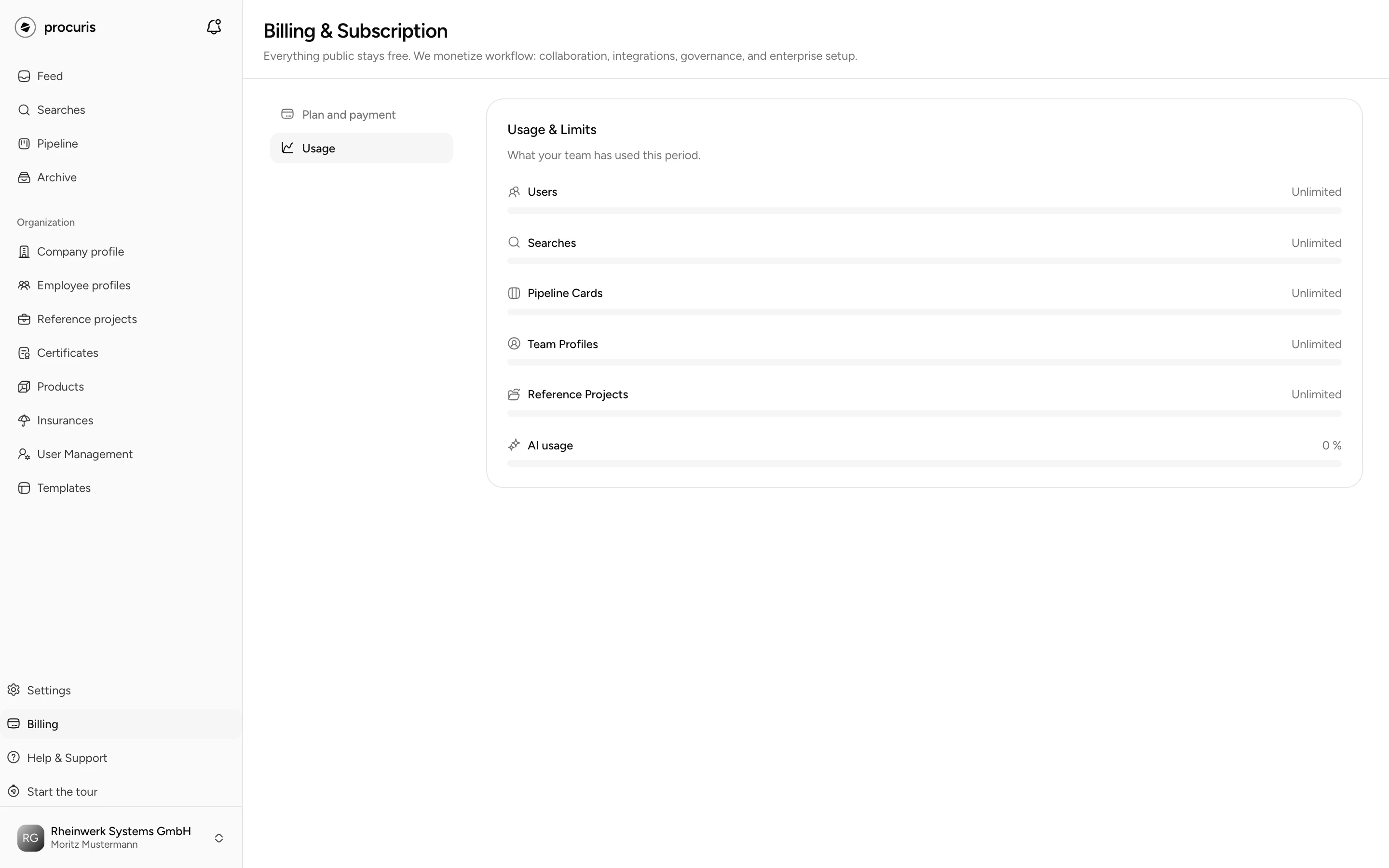
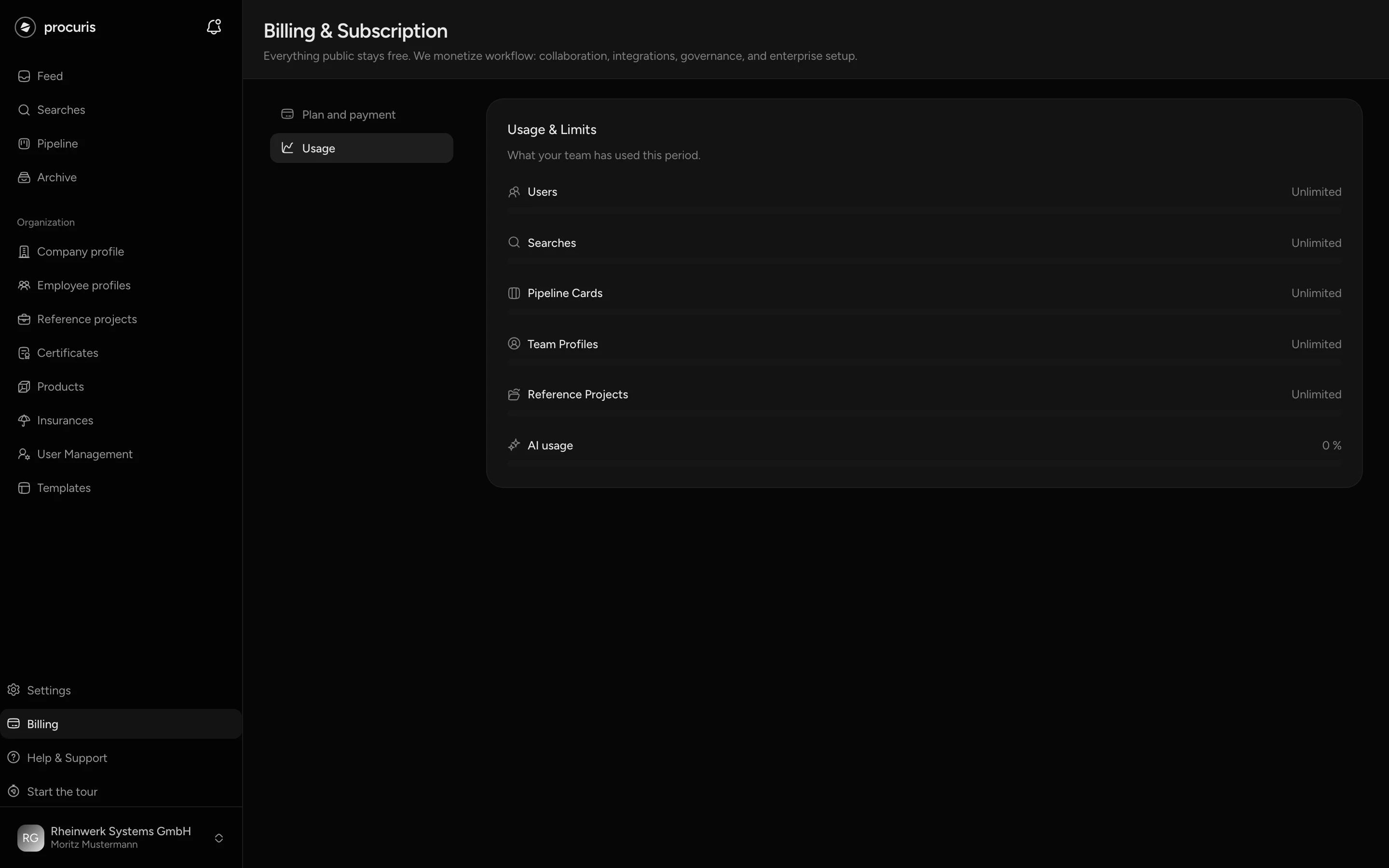
The Usage area shows how much of its plan limits your organization uses. You open it via Billing in the sidebar, there on the left below Plan and payment. The page carries the title Usage & Limits and is visible to all roles. Owners and administrators change the plan (Billing).
Rows
Each limit of your plan has a row with a bar.
| Row | What it counts |
|---|---|
| Users | people in your organization |
| Searches | your saved searches |
| Pipeline Cards | cards in your pipeline |
| Team Profiles | your employee profiles |
| Reference Projects | your reference projects |
| AI usage | what agent and chat have worked in this billing month |
A row appears only if your plan includes that area. On Free, team profiles, reference projects and AI usage are therefore missing.
Displays for users, saved searches and cards
At the right of the row you see how much is used and how much your plan allows. "7 / 10" at Pipeline Cards means: 7 cards are in the pipeline, 10 are allowed. Once the limit is reached, it shows "10 of 10 used". Unlimited means your plan sets no limit there, and the bar stays empty.
The number shows the current stock, not a consumption per month. If you take a card out with Remove from pipeline, a slot is free again.
When it gets tight, bar and word change colour:
| Word | From when | Colour |
|---|---|---|
| no word | below 75 % of the limit | grey |
| Getting tight | from 75 % of the limit | orange |
| Almost full | from 90 % of the limit | red |
| Limit reached | limit reached | red |
Below a tight row there is a link that leads to Plan and payment. On Free it is called Upgrade to Pro, and at Users it also says how many people Pro allows, for example "Pro gives you 3 instead of 1.". On Pro the link points at the next tier, Business, and is called Upgrade to Business. Next to it, at Users, it says "Business has no limit on people.", at AI usage "Business includes five times the AI usage of Pro."
You book Business yourself under Plan and payment (Plans). You need Enterprise only for a contract of your own (Enterprise). For members the link is greyed out, because only owners and administrators change the plan.
You find the same display in two more places. At the top right of the pipeline and under Searches the stock appears as "7/10", on plans without a limit as Unlimited. In the sidebar, Billing carries the stock of the tightest row as soon as it reaches Getting tight (not during the Pro trial). The Users row counts for this only on plans with at least two seats. On Free, with its one seat, the sidebar therefore shows no mark for people.
Limit reached
Once a limit is reached, you add no further card, saved search or person. In the Pro trial, open invitations count towards people. The Limit reached dialog opens with the stock, for example "10 of 10 used". For people it also says how many Pro allows.
What else the dialog shows depends on your role:
- Owners and administrators see the larger plans under Choose a plan and book one of them directly, for example with Get Pro. For Enterprise it says Contact Sales. Compare all plans opens Plan and payment.
- Members see the Upgrade to Pro button locked, because only owners and administrators change the plan.
Not now closes the dialog. What you have already created stays.
AI usage
From Pro
AI usage belongs to Pro, Business and Enterprise and is also open in the Pro trial. Business includes five times the AI usage of Pro.
The bar at AI usage shows which share of the allowance of the current billing month is used. On the right the share appears as a percentage, for example "42 %". A share above zero but below one percent appears as < 1 %. When it gets tight, the same words appear as in the other rows. Agent and chat both count towards AI usage.
The allowance starts anew with each billing month. The line below names the day: "Resets on" with a date. Unused AI usage expires on that day and is not carried over.
Once the allowance is used up, the row shows Over the allowance. Agent and chat then keep working within a margin beyond it. procuris bills this additional usage by consumption.
Once that margin is used up as well, the AI allowance used up dialog opens: "Your AI allowance for this month is used up, including the margin beyond it. It refills with the next billing month, a larger plan brings more." Until the date below the row, agent and chat rest. You keep using feed, pipeline and workbook, and you mark requirements by hand in the meantime. If the allowance of Pro is not enough in most months, switch to Business instead of waiting every month, because Business includes five times as much.
In the Pro trial the AI has its own allowance without a reset date. Once it is used up, the dialog is called Trial AI used up: "The AI of your trial is used up. Upgrade to Pro to keep working right away."